
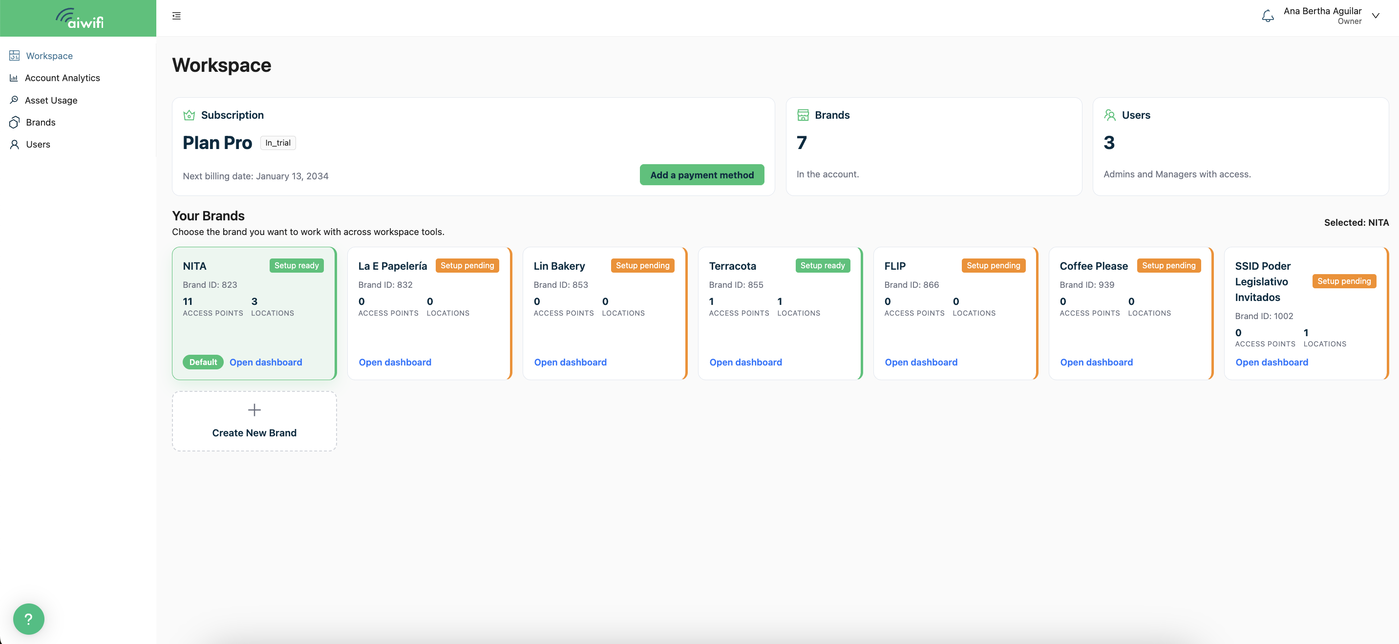
Workspace
The Workspace is a dashboard designed to give you total control and simplify the management of all your accounts and brands. Here you will be able to view and manage the analytics of your accounts, monitor the usage of your assets (locations and specific access points), inspect your brands, and manage the user section (people who have access to the platform).
Select the brand you want to enter to view the campaigns, banners or functionalities you need to create or edit.
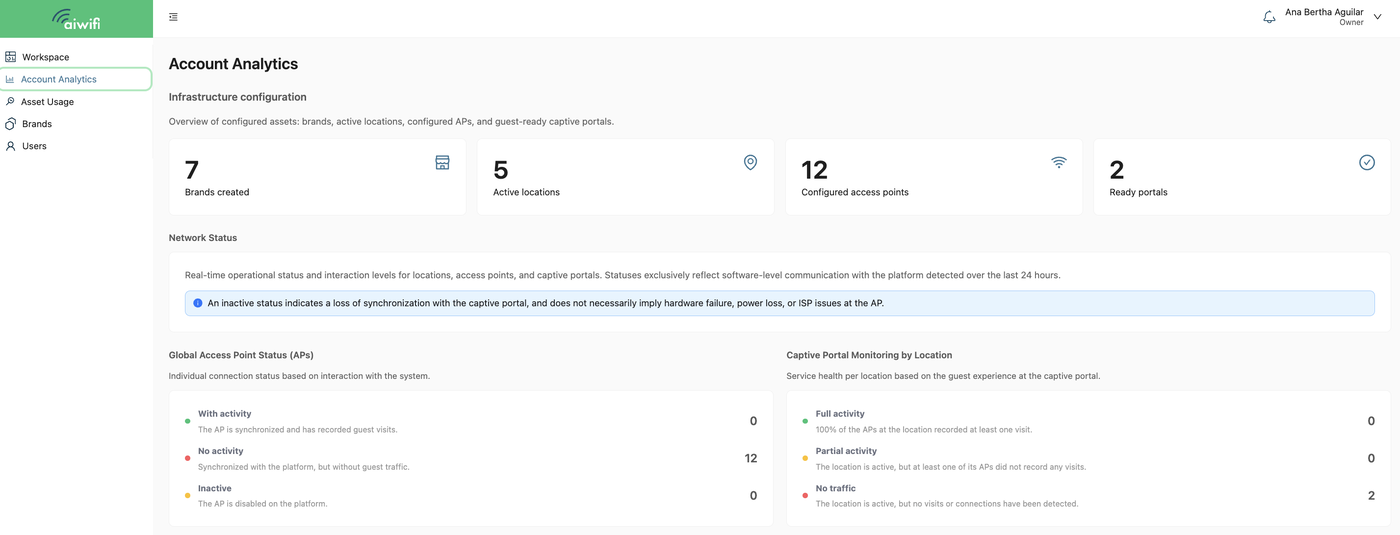
Account Analytics:
In this section, you will be able to view the infrastructure configuration. Here you can view the summary of configured assets, brands, active locations, configured access points and the different campaigns and banners you have in the platform.
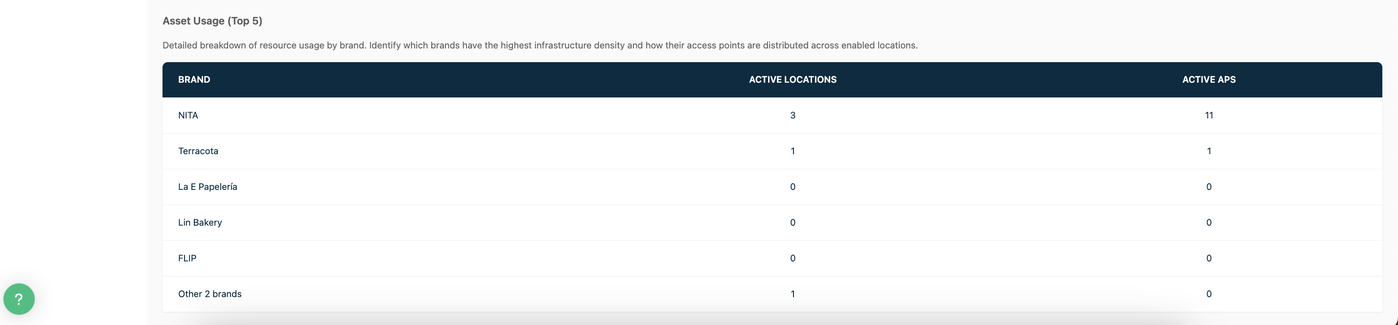
Detailed breakdown of resource usage by brand:
Identify which brands have the highest infrastructure density and how their access points are distributed across enable locations.
Asset Usage:
Detailed breakdown of the distribution of brands, locations, and access points. Inspect the portal traffic at a specific location and access point. Select or type the MAC or name of the Access Point, location, or brand you wish to inspect in detail.
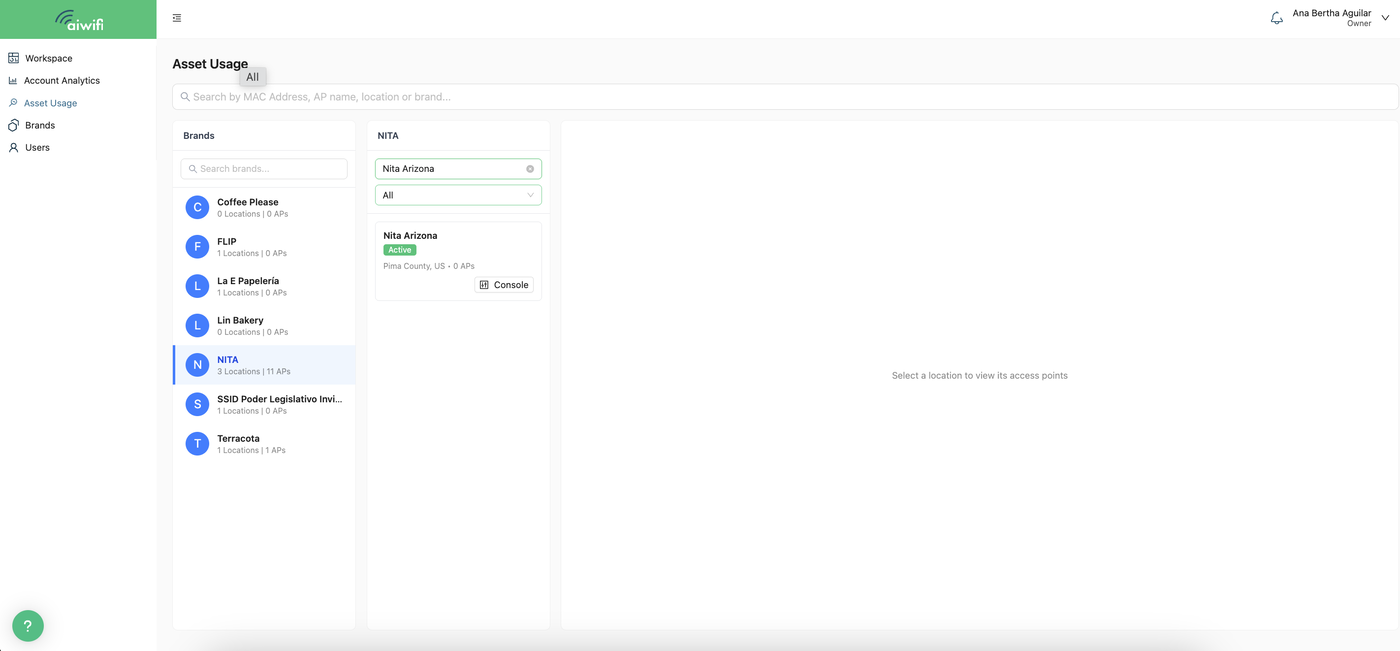
Diagnostic Console Dashboard:
Select the “Console” button to access the Diagnostic Console dashboard. In this section, you can monitor the performance and interaction of the captive portal. View the real-time operating status of locations, access points, and campaigns or captive portals.
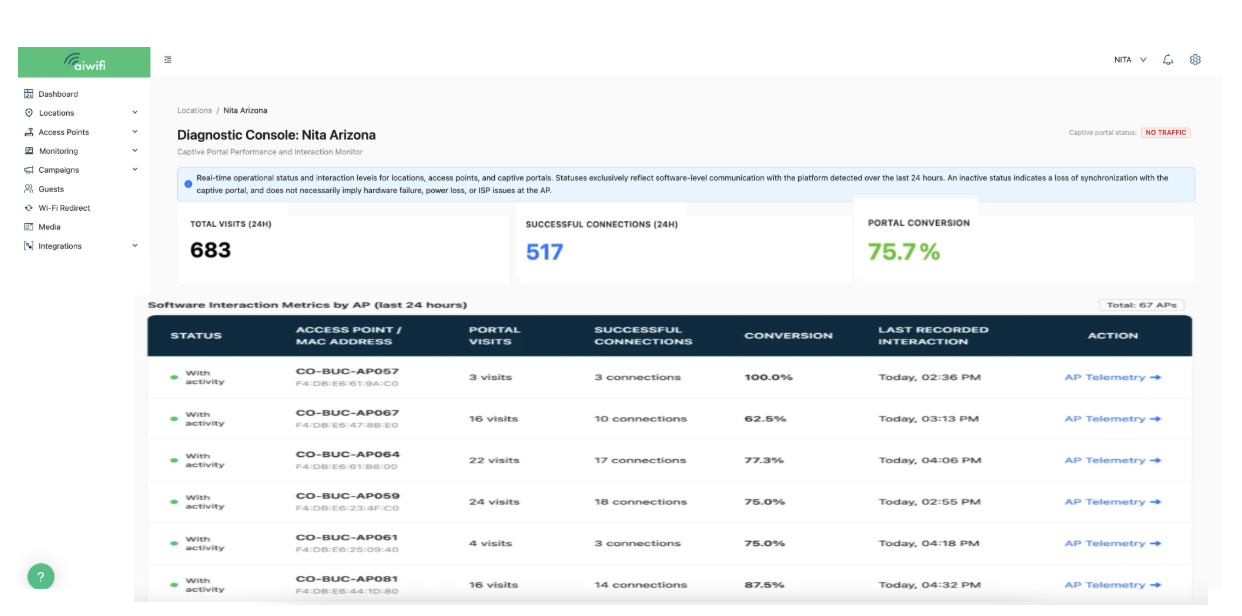
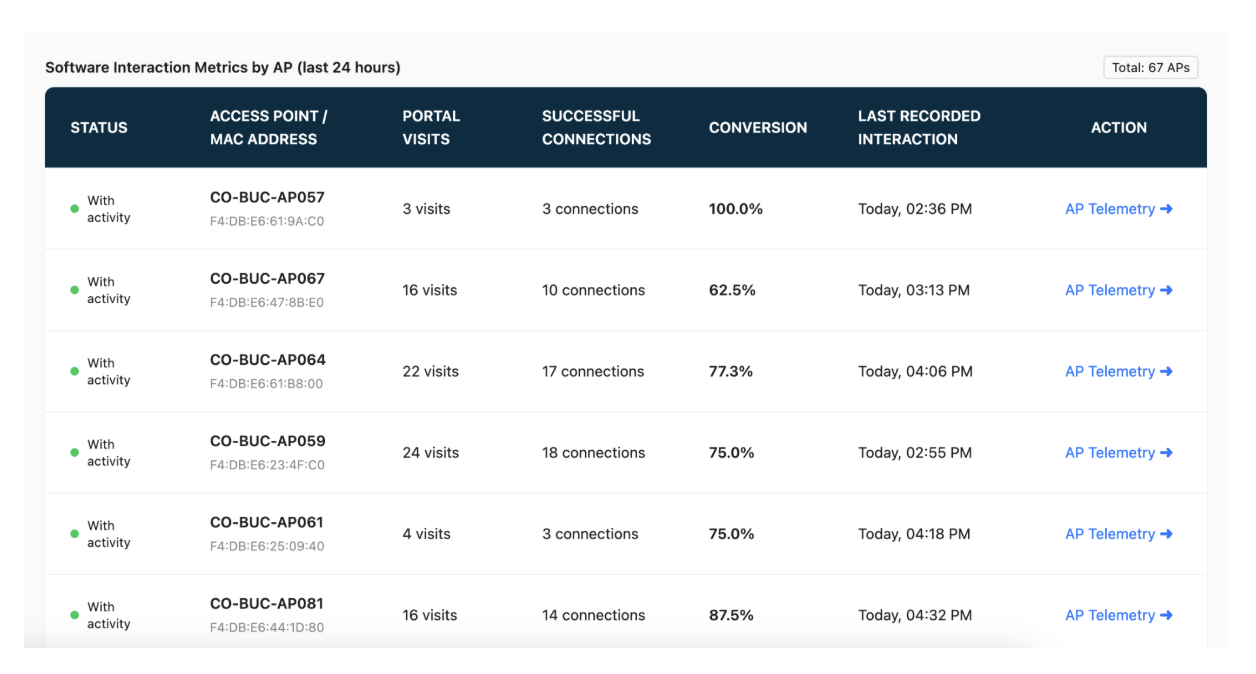
AP Telemetry:
If you want more details about each AP, you just have to select the “AP Telemetry button” you want to inspect.
Once you select the AP Telemetry button on your screen it will deploy the follow Dashboard where you will see the statuses exclusively reflecting software-level communication with the platform detected over the last 24 hours, the total visits, the successful connections and more, here is an example:
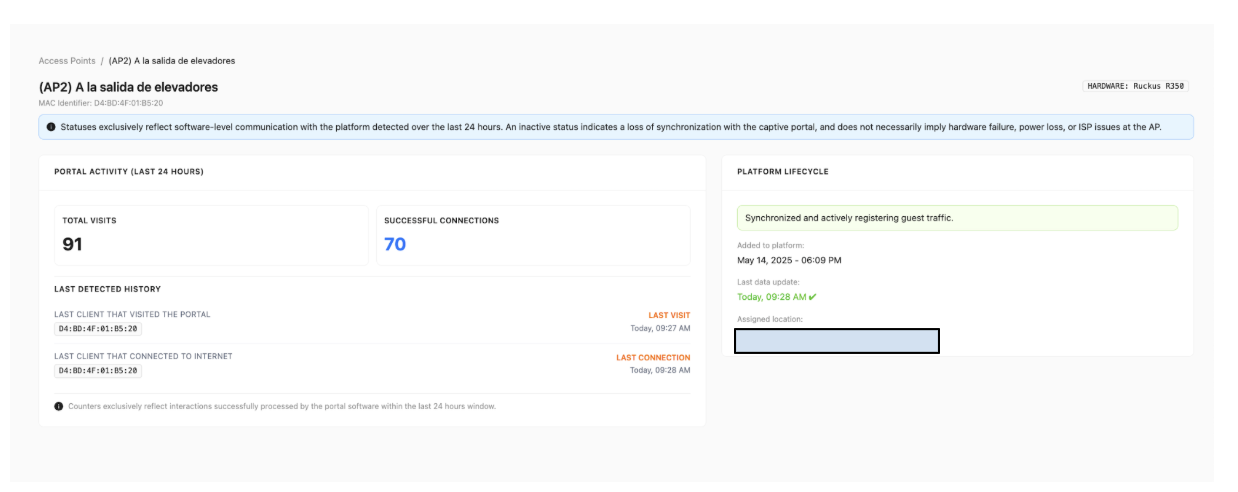
Brands:
When you select the Brands section, you will see the Brand Management panel” on your screen. Here you can create new brands, edit and manage the logo and the Privacy Policy of your brands. You only have to click the pencil icon next to the select brand.
Brand Management:
Navigate and manage your brands easily. Designate main brands for priority viewing and adjust settings or add new brands with just a few clicks.
To select a brand, simply go to the menu bar and select the three dots located under the "Action" heading. Click on the three dots for the brand you wish to edit or open, and a box will appear with the following options: Edit, Details, and Delete. Choose the desired option.
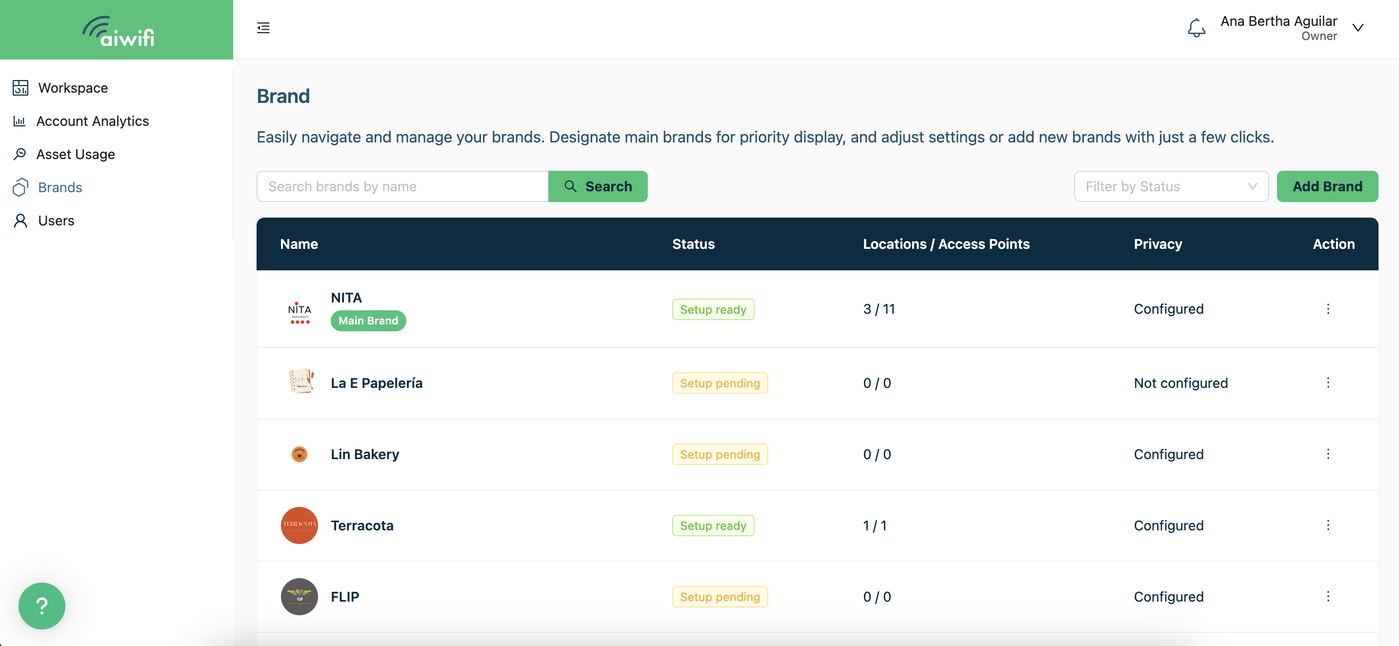
Below we detail each option found when selecting the three dots of the brand:Here is an example:
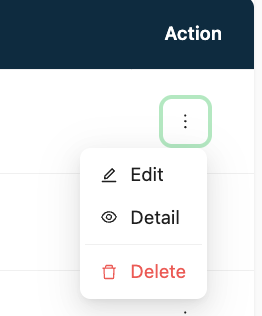
Edit Brand Option:
This option allows you to edit the following brand details: logo, category, industry or business sector, and privacy notice.
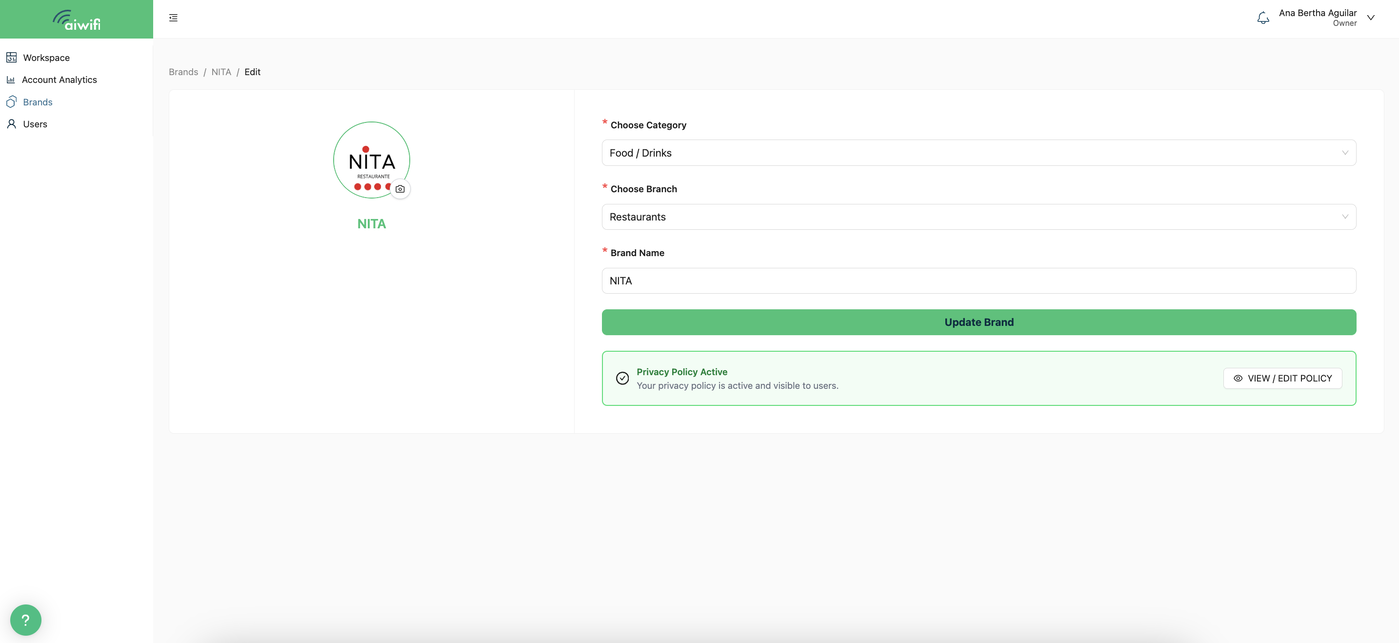
Brand Details Option:
View your privacy notice and logo colors here. You can also edit and update these details as needed.
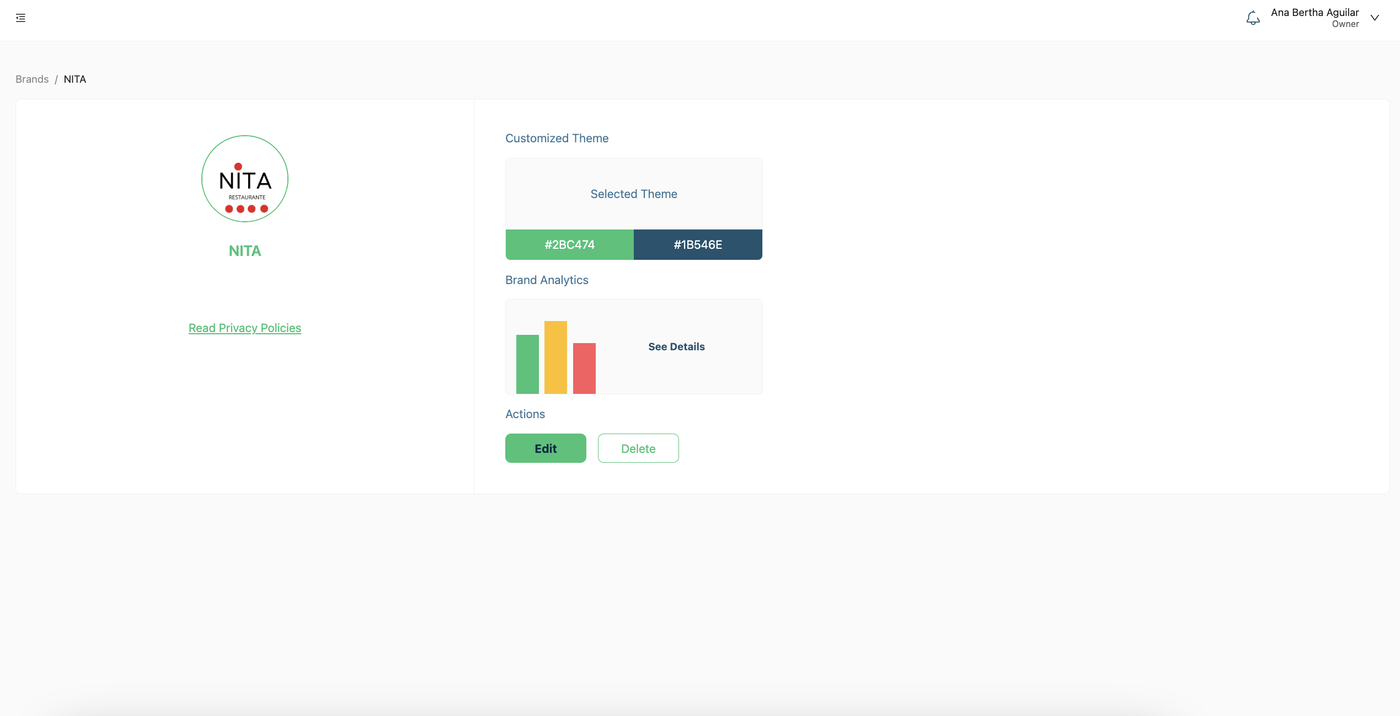
Delete Brand Option:
Selecting this option will delete the brand.
Users:
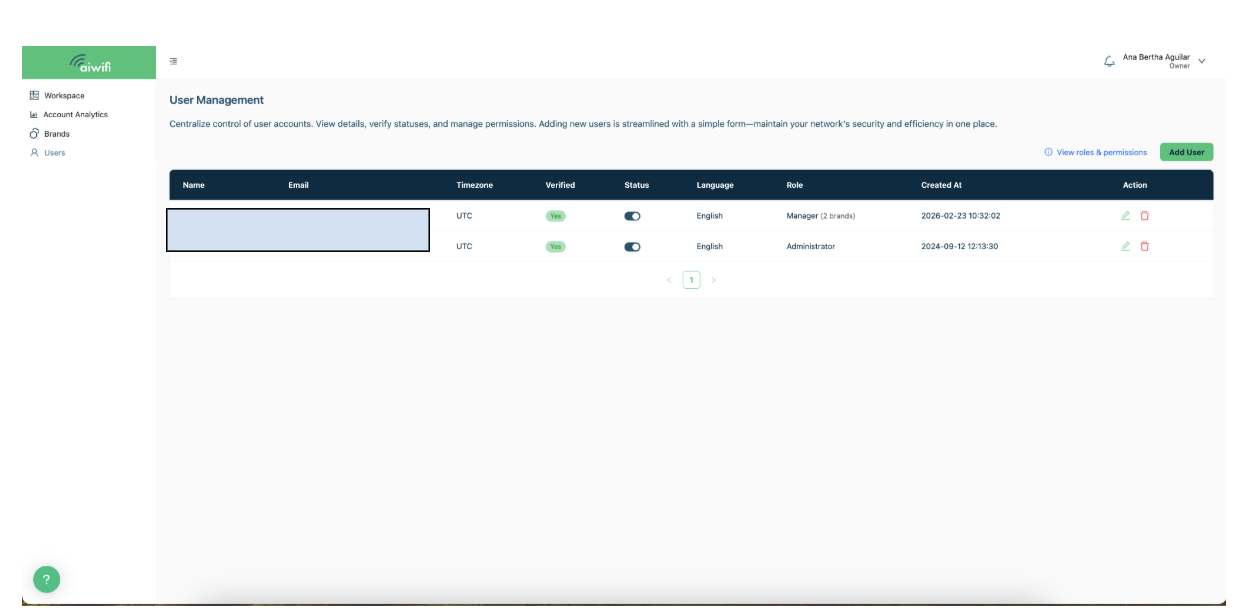
When you select the "Users" category, the "User Management" dashboard will appear on your screen.User Management:
Centralize the control of user accounts. Manage permissions and roles with an intuitive module, ensuring that access and collaboration remain clear and secure.
Users:
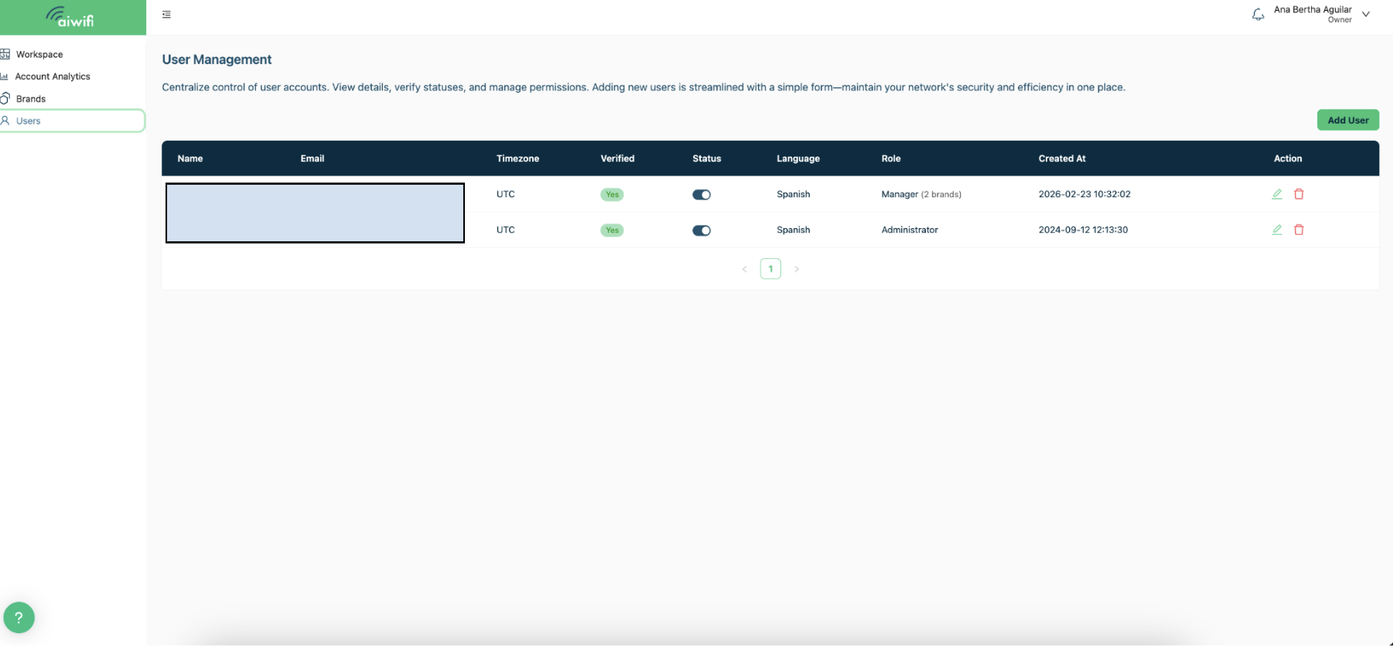
When you click on the “Users” section, you will see the “User Management” section on your screen.
User Management:
Centralize control of user accounts. Control permissions and roles with an intuitive module, ensuring that access and collaboration are always clear and secure.
Add User:
To add a user to the Aiwifi platform, you only need to click on the “Add User” section on the right.
Once you have selected the “Add User” section, a box will display on your screen to enter the new user's details (name, email, language, and the role they will have within the platform).
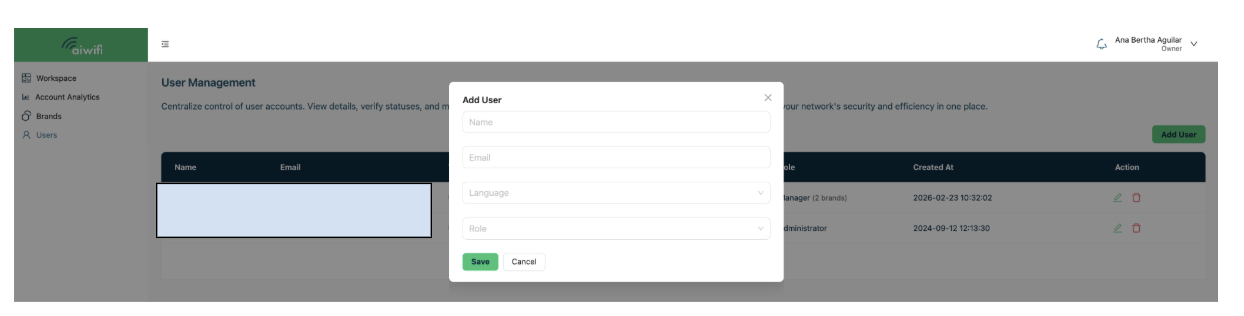
The user added will receive a verification email.
Viewing Role and Permission:
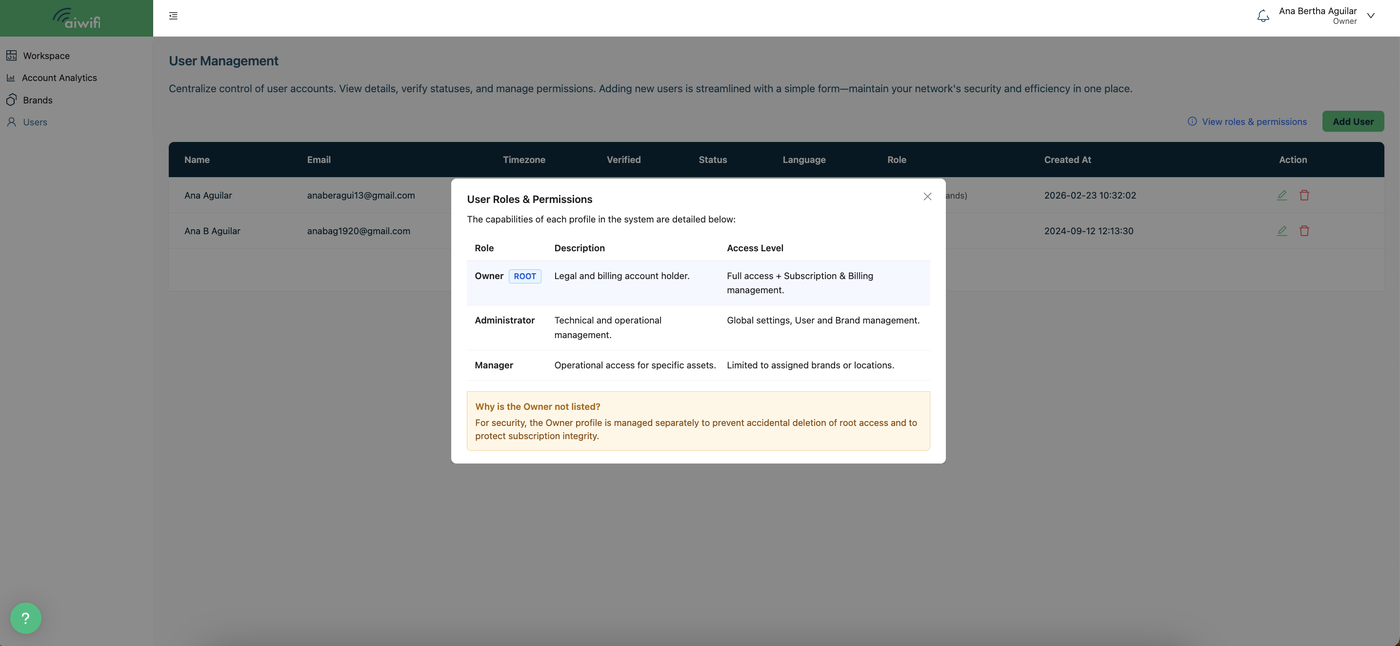
Selecting "View role and permission types" will open a dialog box displaying the different user roles, each accompanied by a brief description.
Role Types:
We designed three role types: Owner, Administrator, and Manager.
Owner Role:
Unlimited Access: Holds the keys to every corner of the platform and all brands.
Total Decision Power: Creates, deletes, or modifies campaigns, banners, and access points without limits.
Strategic Management: Controls the addition and removal of all platform users.
Maximum Financial Control: Directly manages the subscription and billing for the Aiwifi platform.
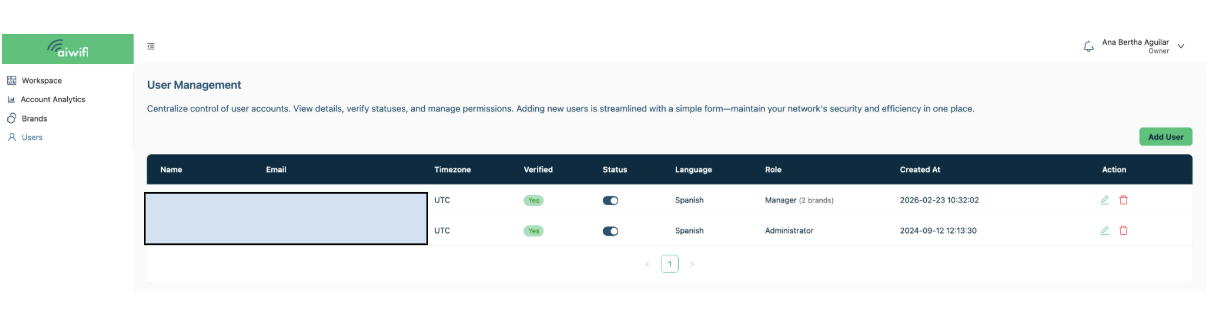
The owner will see the following panel on their screen:
Administrator Role:
Operational Management: Leads execution, easily creating and deleting campaigns and banners.
Brand Customization: Modifies brand redirection and logo to maintain visual identity.
Team Control: Adds or removes users to efficiently scale your team.
Financial Visibility: Accesses and manages the billing section.
Access to All Brands: Works across all platform accounts.
No Access to Subscription Management: Can view the subscription section but does not have access to modify it.
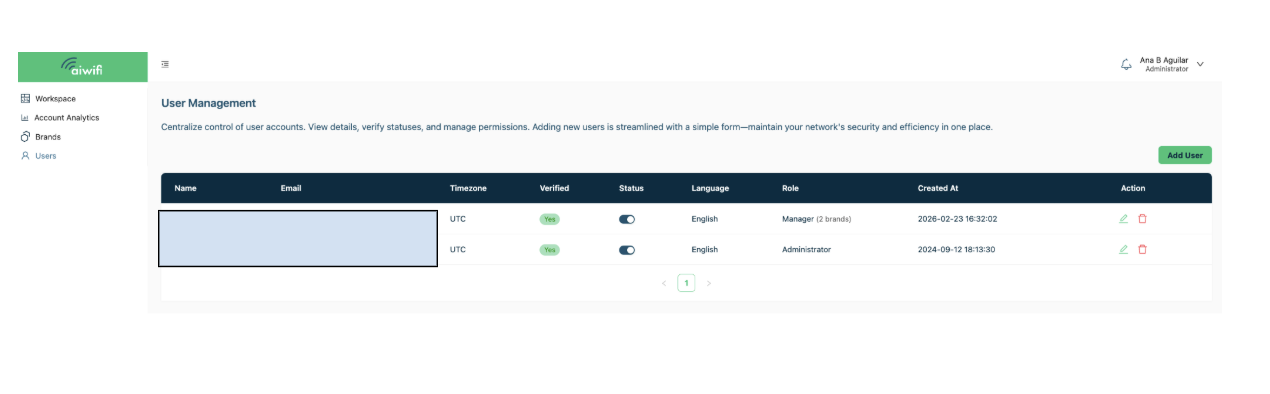
Below we show an example of an Administrator account. The Administrator user can indeed create or delete users within the platform.
Manager Role:
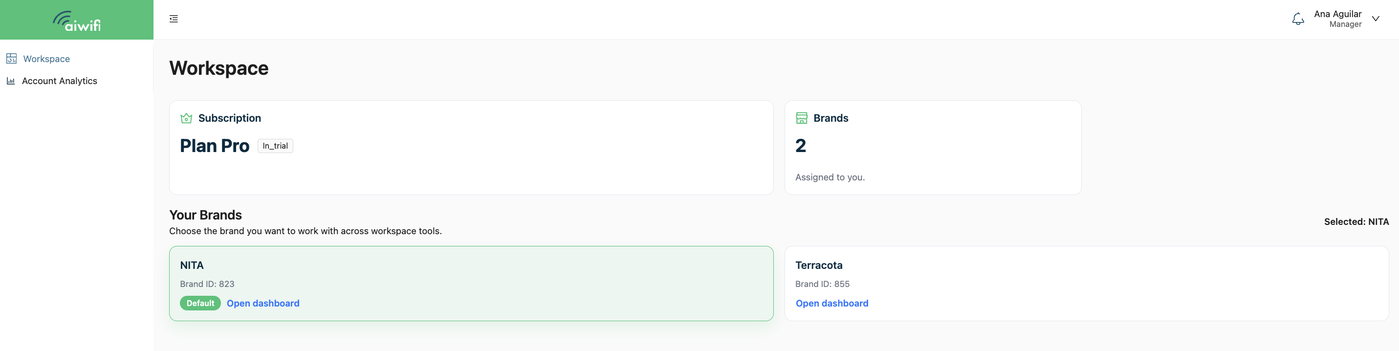
The manager User sees on theiur screen only the assigned brands for their management.
Assigned Focus: Manages only the brands that the Owner or Administrator has delegated, allowing for precise management.
Campaign Action: Has the power to create and delete campaigns, banners, and antennas within their assigned brands.
Technical Configuration: Manages the redirection and integration sections.
Operational Focus: The Manager's focus is 100% operational; ensuring that the campaigns and banners for the assigned brands perform at their maximum. They do not have access to user management, billing, or subscriptions.
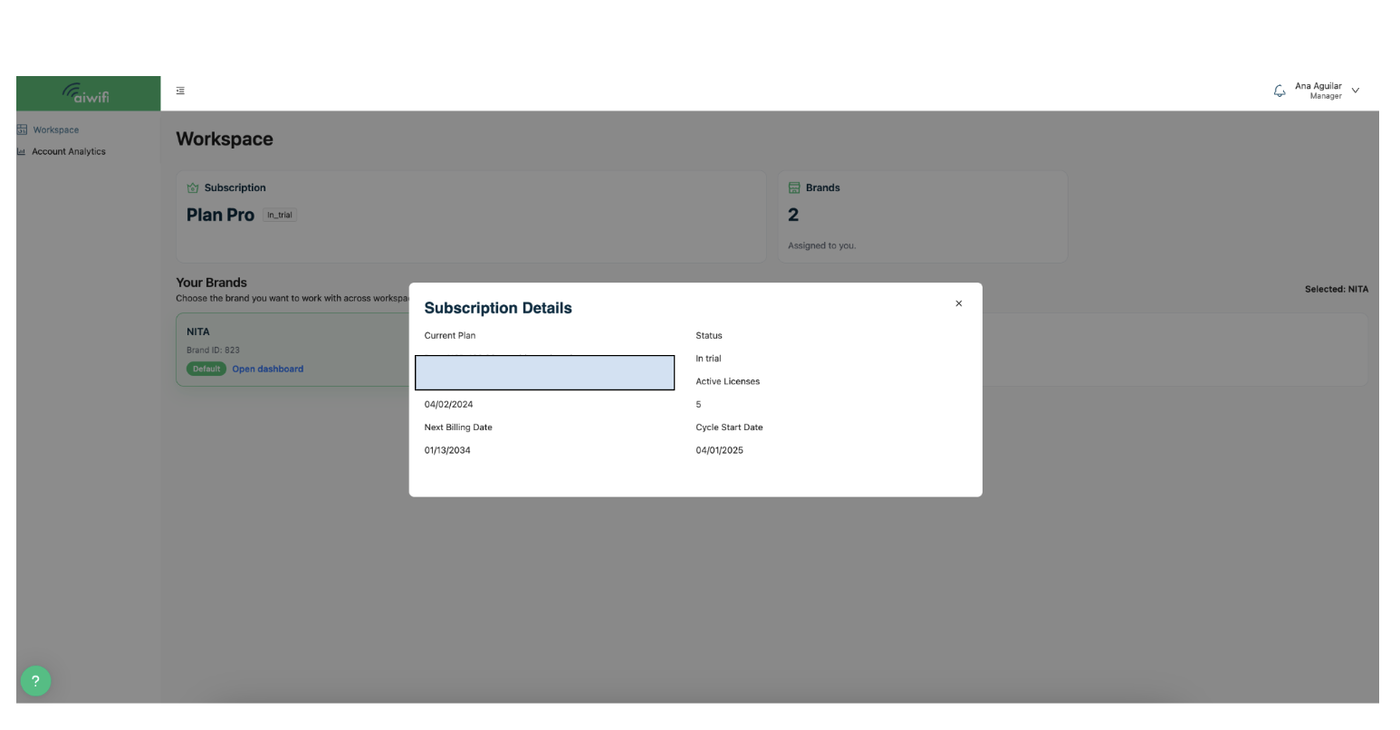
Below we show an example of a Manager User’s account:
Inside the Workspace section, you will find the following functionalities on the right side: Profile Management, Transactions, and Subscriptions.
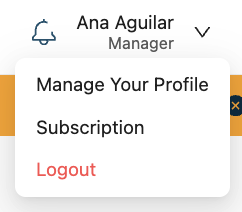
Here is an example:
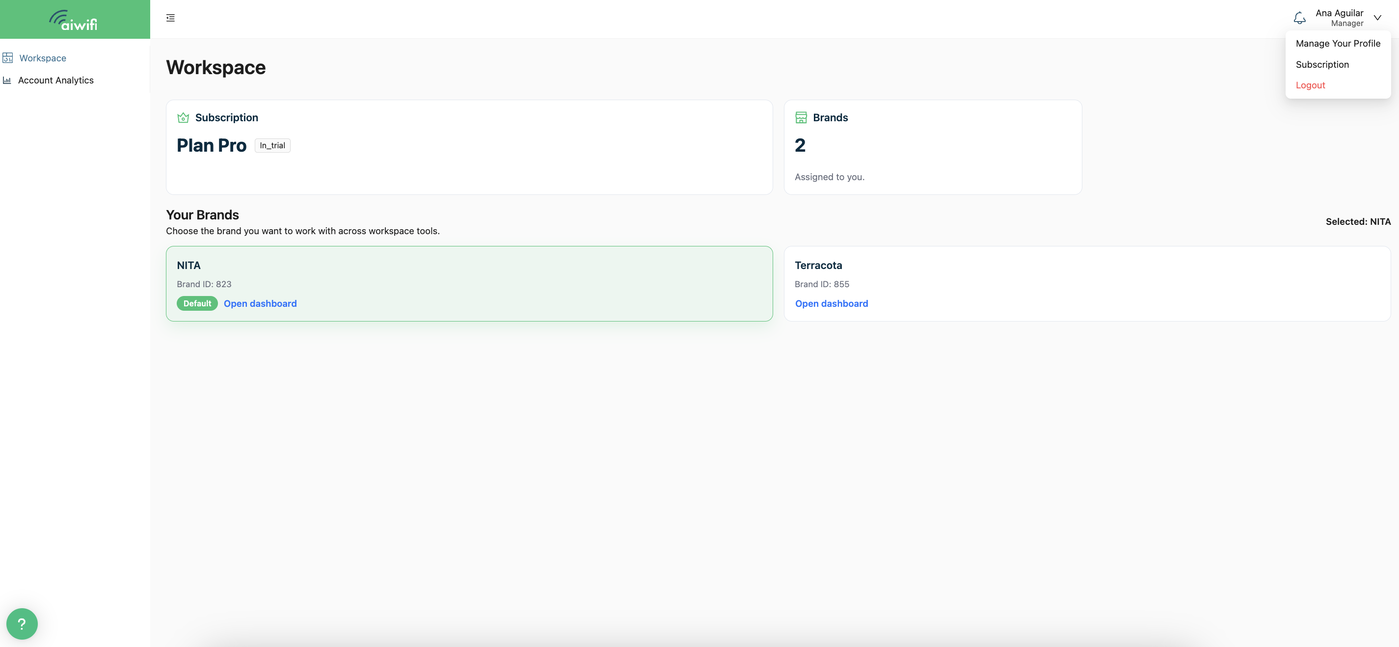
Manage your profile:
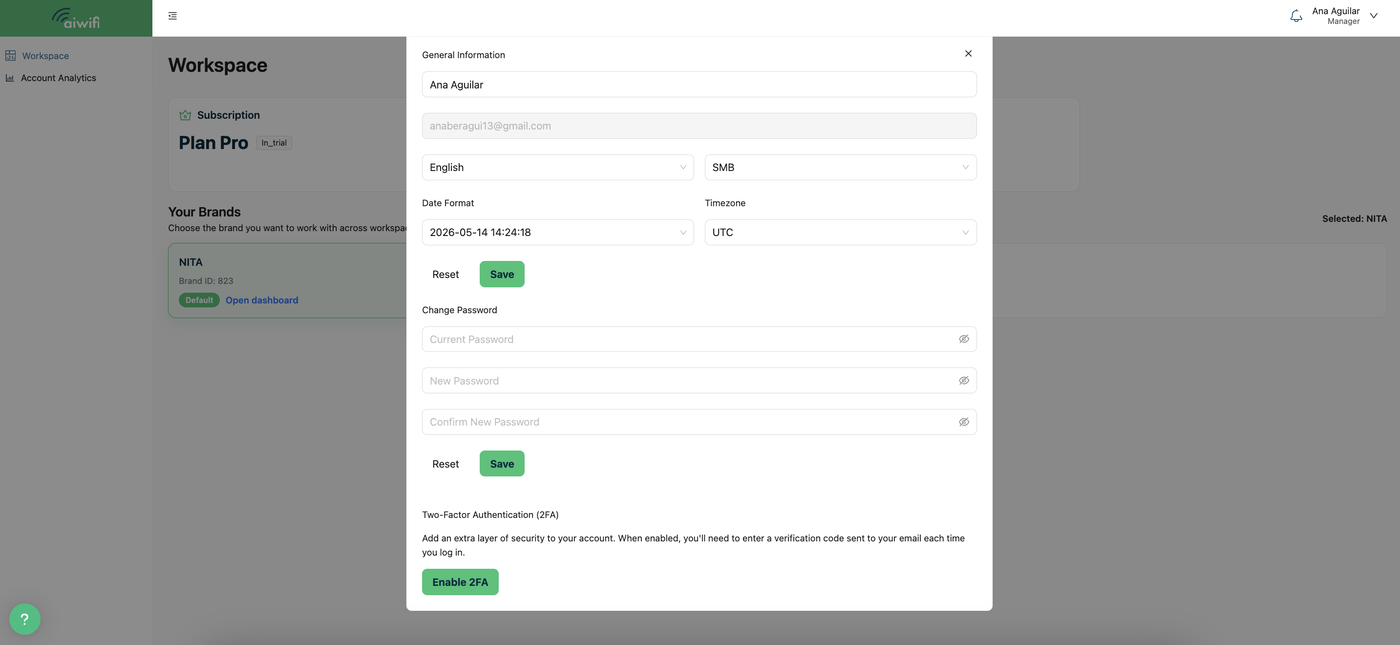
When you click on "Manage your profile," the General Information box will display on your screen, where you can edit and review your profile: your data, time zone, etc..
Below is an example:
Subscriptions:
The Owner User is the only one who can manage the subscriptions section; the Administrator User can only view the section without having access to subscription management.