
Facebook Audiences Application
The integration with Facebook Audiences allows you to create custom audiences in Facebook Business to run "retargeting" and "look-a-likes" advertising campaigns.
Retargeting: Shows specific ads to people who already know your brand or have visited your website, helping you close sales.
Look-a-likes: Facebook analyzes the characteristics of your current customers and finds new people with similar interests, which increases the likelihood of success.
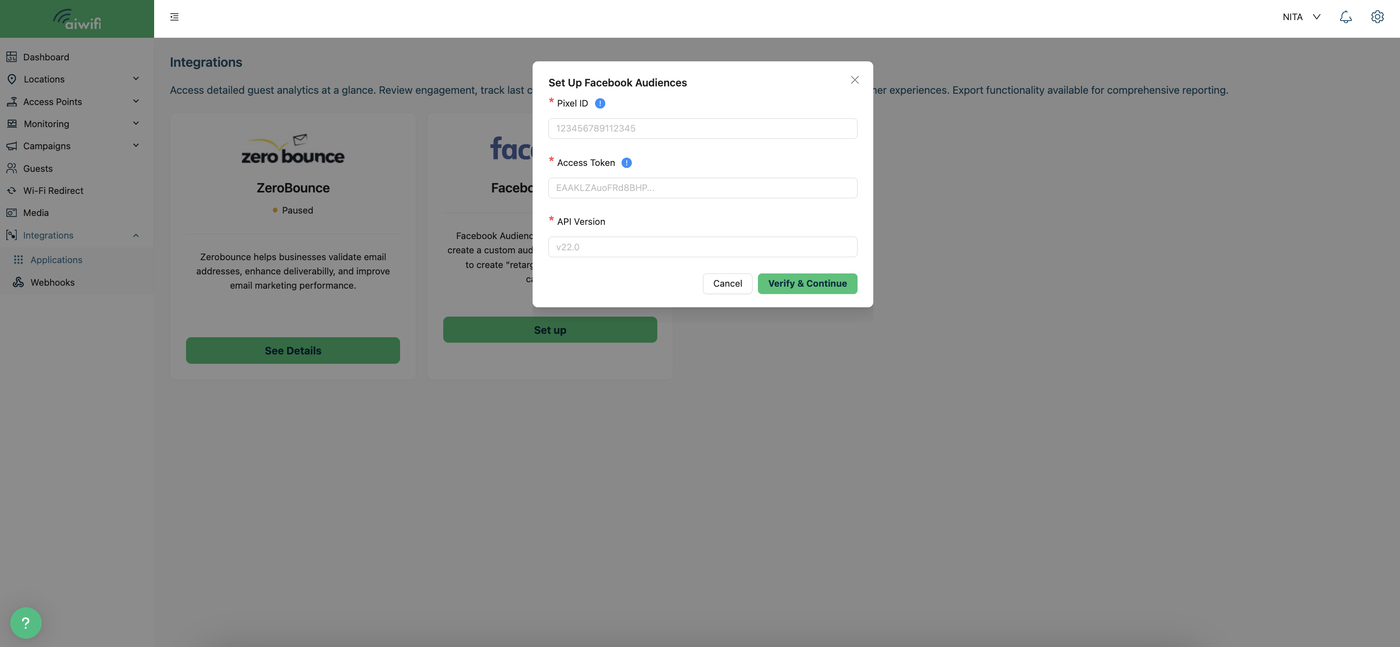
Furthermore, setting up this integration is simple: the captive portal allows you to create these audiences by simply entering the Pixel ID, the access token, and the Facebook API version.
Custom Audiences: Target people who already know your business.
Lookalike Audiences: Designed to find new users. Meta's algorithm searches for people who share similar characteristics, behaviors, and interests with your best customers or custom audiences.
To access to this section you just have to select on your Aiwifi Platform the field “Integrations” and click on “Applications”. Here is an example.
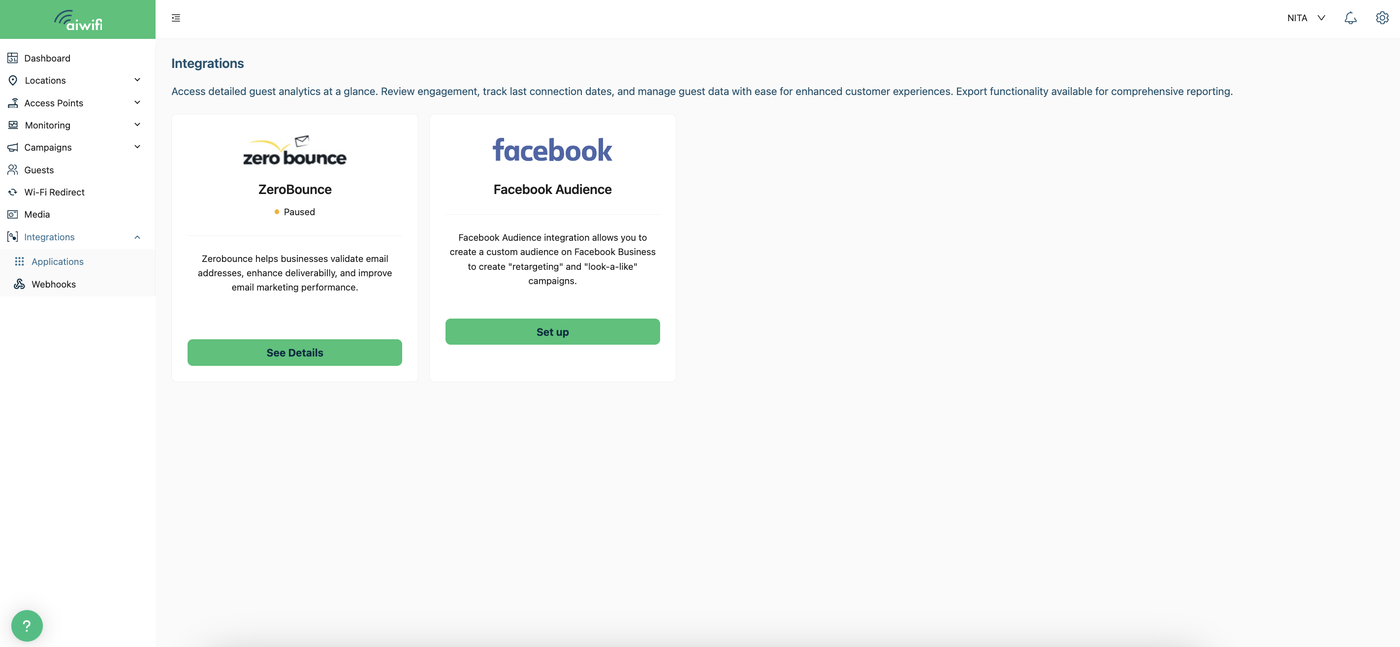
Integrations Section
In this section, select the "Set up" button for Facebook Audience. A box will appear on your screen as shown below. There, you must enter the requested information: the Pixel ID, the access token, and the API version.
Pixel ID: You can find it in Business Manager > Events Manager > Data Sources.
Access Token: You can find it in the Facebook developer portal, under App Settings > Tokens.
Once the information is entered, click the "Verify and Continue" button.