
How to reset your password
To reset your password is so easy. Follow this steps…
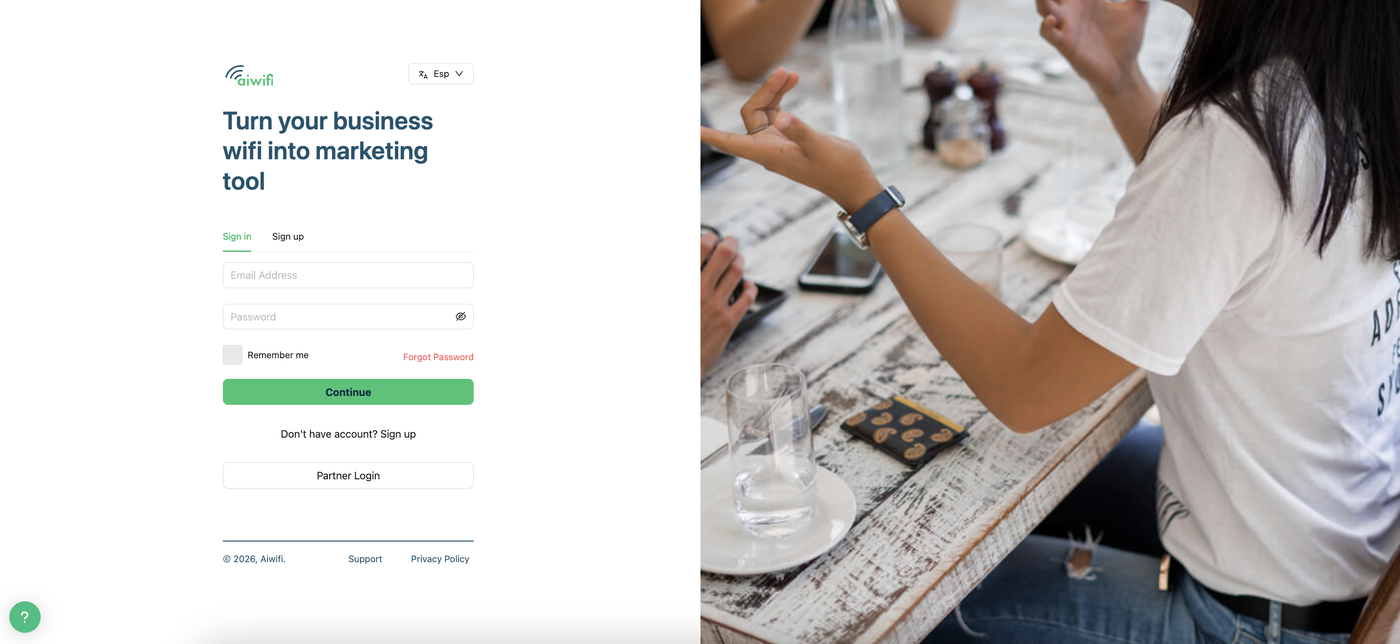
1.- Select “Forgot Password” .
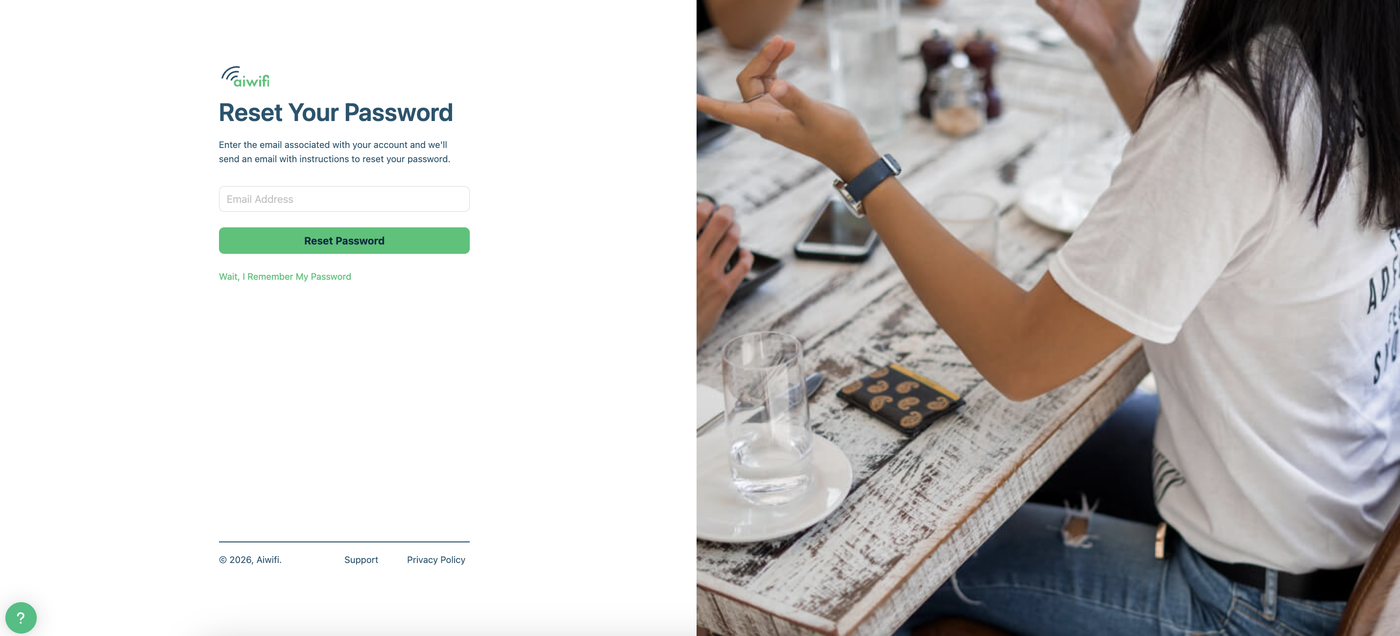
2.- Enter the email associated with your account and we’ll send an email with the instructions to reset your password. Then, click on the “Reset password” button.
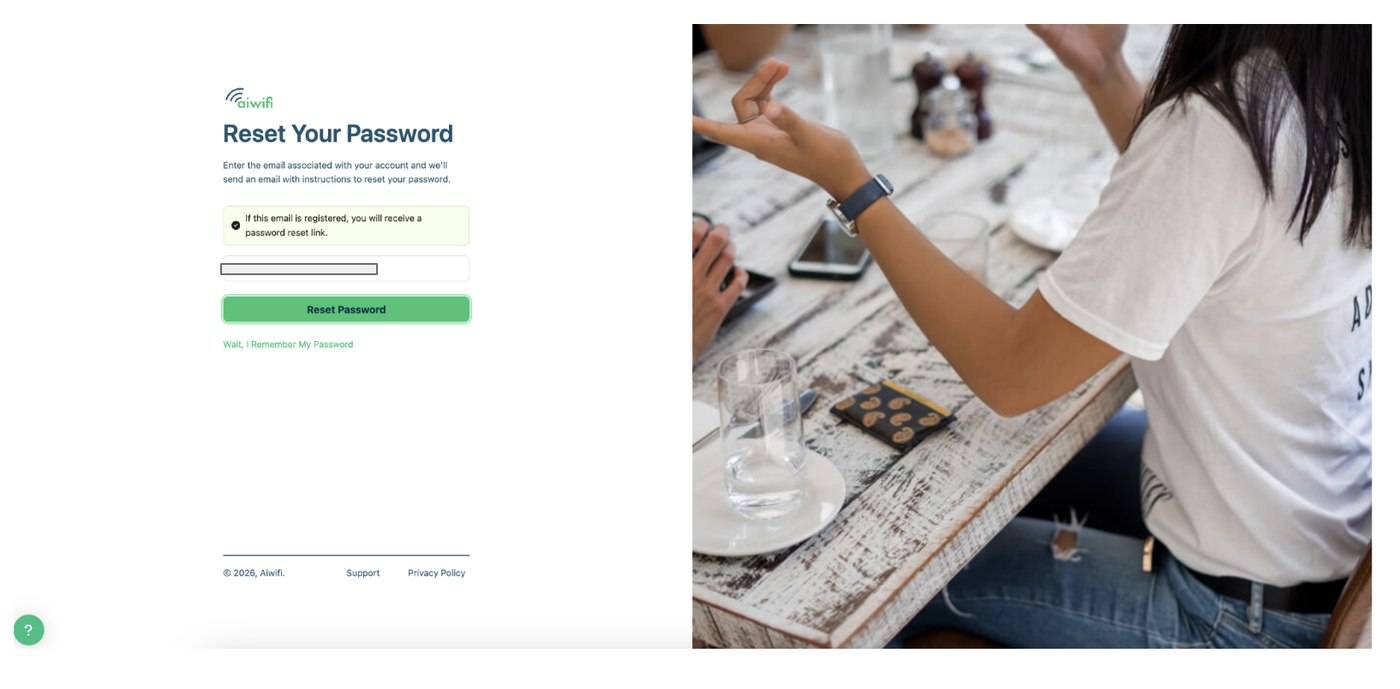
3.- Click on “Reset Password”. If the email you wrote down is registered, you will receive a password reset link.
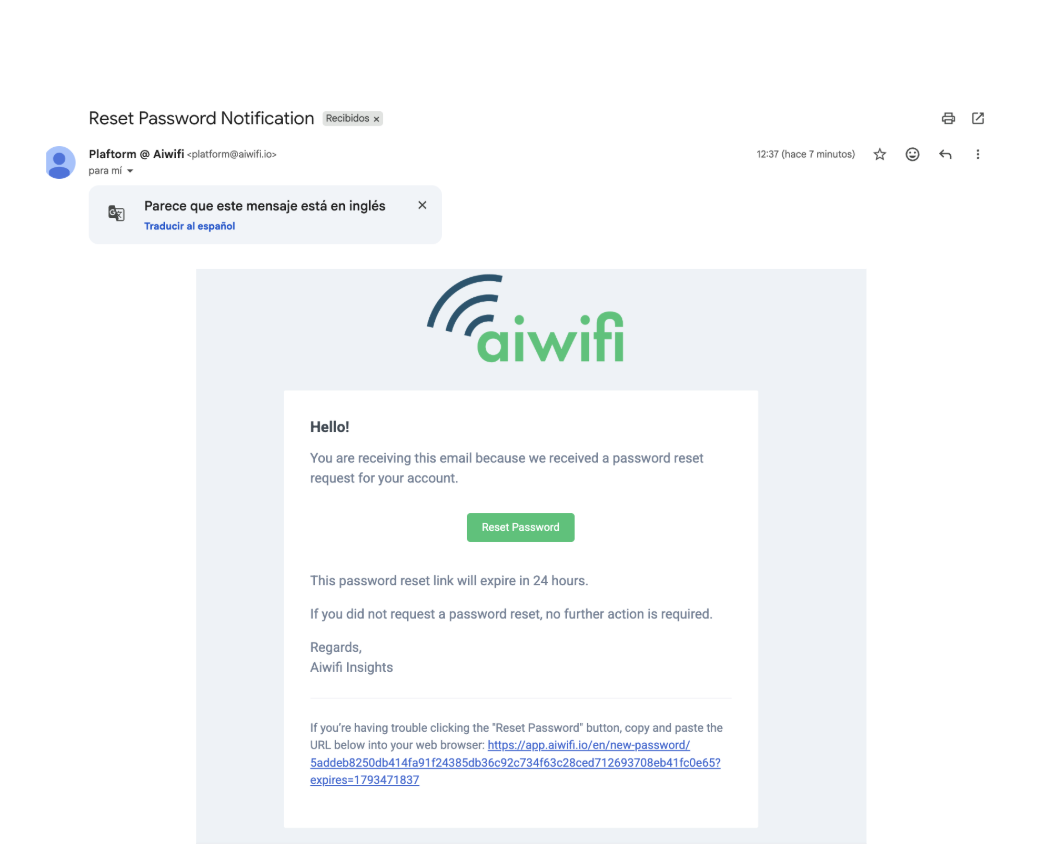
4.- You will receive a Reset Password Notification. This password reset link will expire in 24 hours. Once it expired you can repeat the operation and you will recibe another notification.