
User Roles (Owner, Administrator, and Manager)
Simplify your day-to-day, assign roles with purpose, and maintain the security of your Aiwifi platform!
With Aiwifi, we say goodbye to complications. We have centralized and simplified your network management. Control who accesses what with our user roles designed for security and maximum operational efficiency. Thus, each member of your team has the exact power to drive the success of your business.
Learn about the key roles that will transform the way you work:
Owner Role:
Unlimited Access: Has the keys to every corner of the platform and all brands.
Total Decision Power: Creates, deletes, or modifies logo, privacy policies, campaigns, banners, and access points without limits.
Strategic Management: Controls the addition and removal of all platform users.
Maximum Financial Control: Directly manages the subscription and billing of the Aiwifi platform.
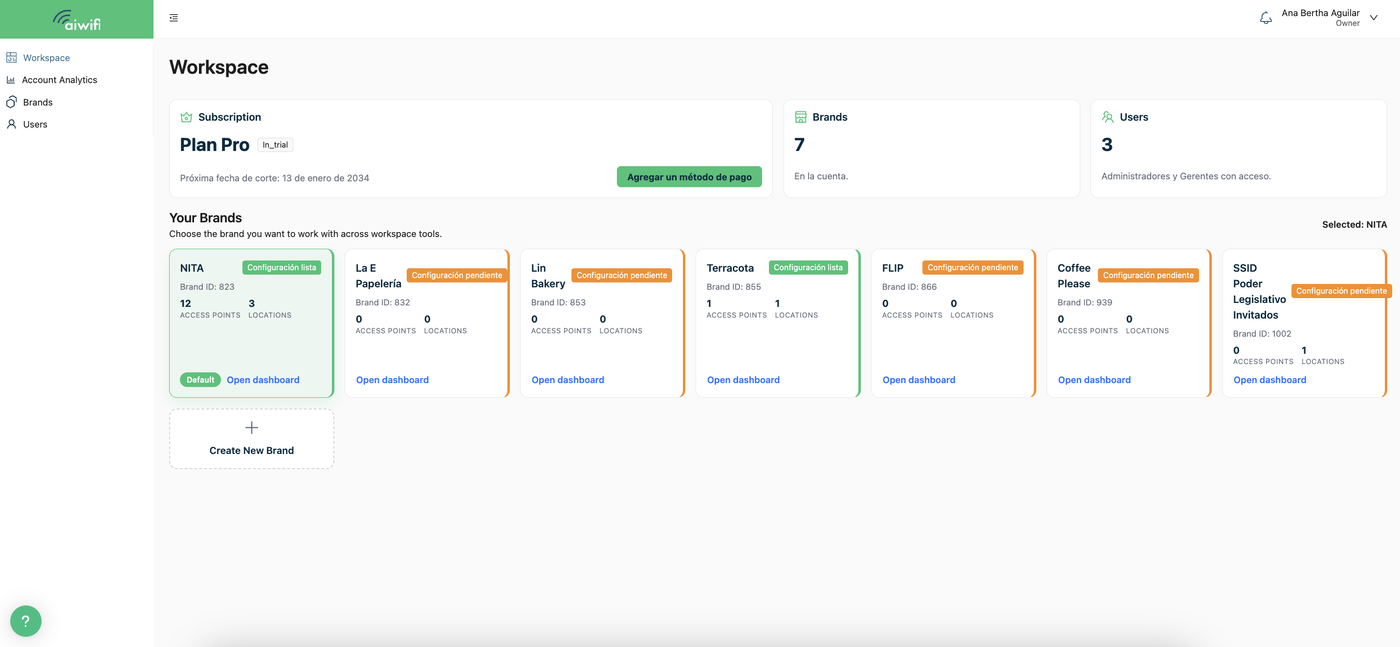
If you are the Owner, once you login to the Aiwifi Platform you will see on your screen a Dashboard similar to this one shown below:
If you are the Owner, the dashboard you will see within the users section, is similar to this one shown below:
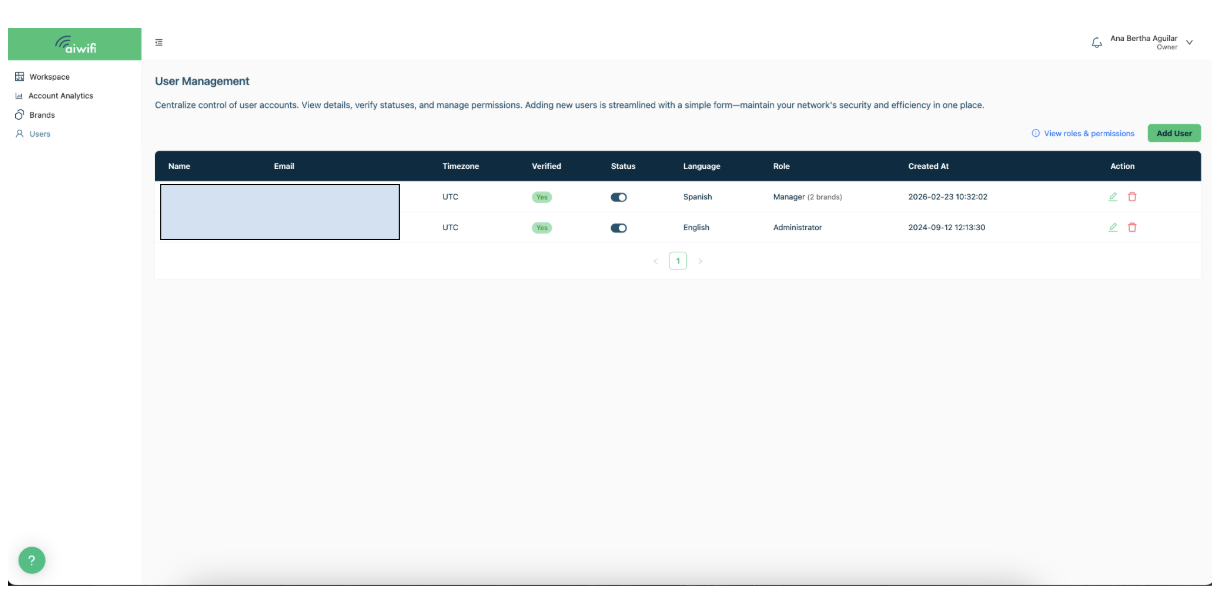
The Owner Role can add users in to the Aiwifi platform:
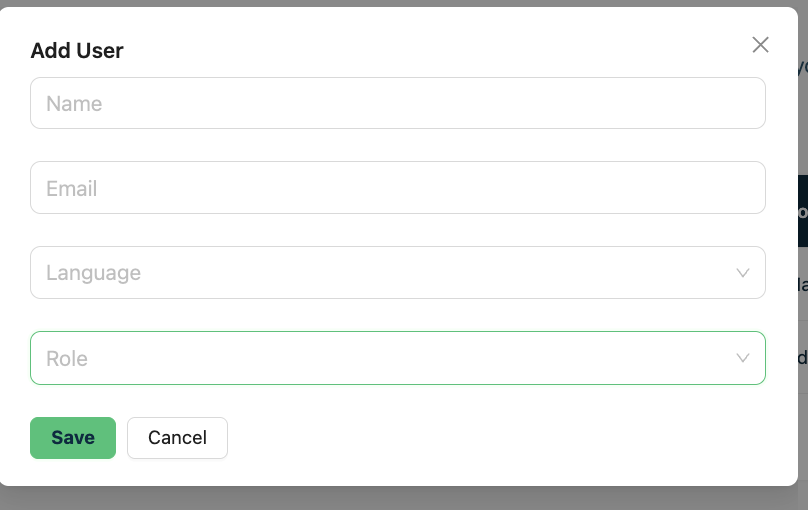
To add an user into the platform just select the button “Add user”, once you clicked on it, it will deploy the next image shown below:
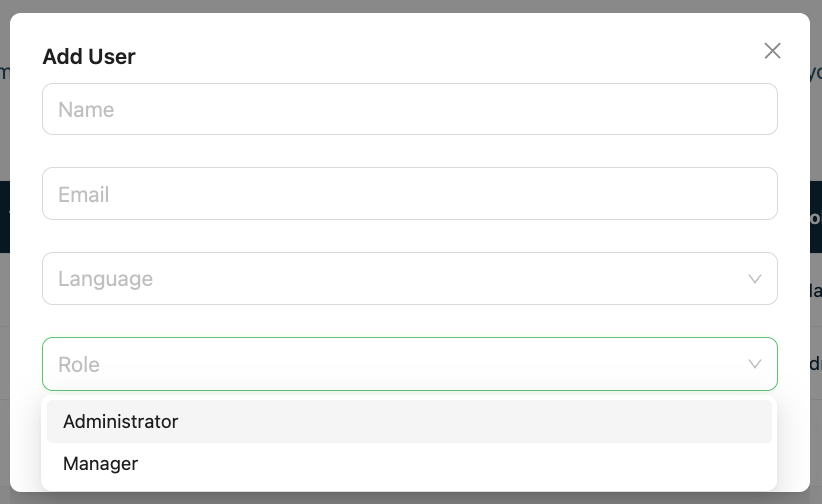
Fill in all the fields and click on “ Save”.
Administrator Role:
Operational Management: Leads execution, easily creating and deleting campaigns and banners.
Brand Customization: Modifies brand redirection and logo to maintain visual identity.
Team Control: Adds or removes users to efficiently scale your team.
Financial Visibility: Accesses and manages the billing section.
Access to All Brands: Works across all accounts on the platform.
No Subscription Management Access: Can view the subscription section but does not have access to modify it.
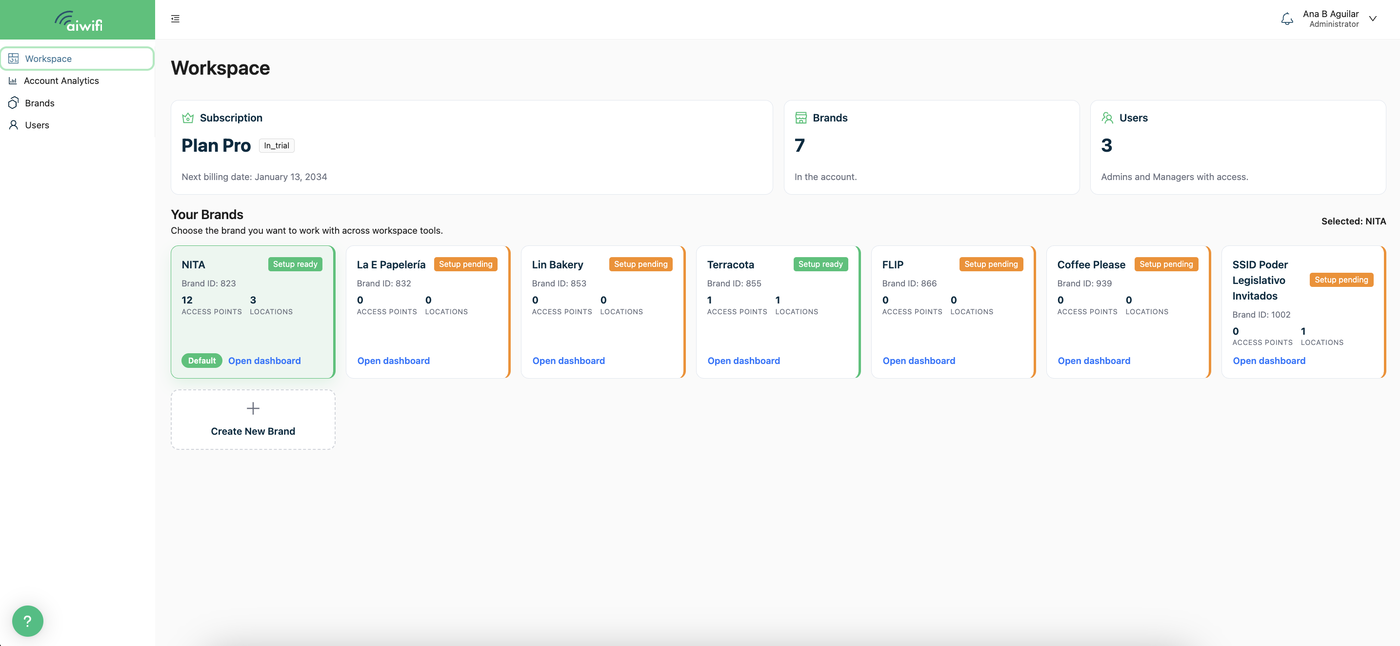
If you are the Administrator, once you login to the Aiwifi Platform, you will see on your screen a dashboard similar to this one below:
If you are the Administrator, the dashboard you will see within the users section is similar to this one shown below:
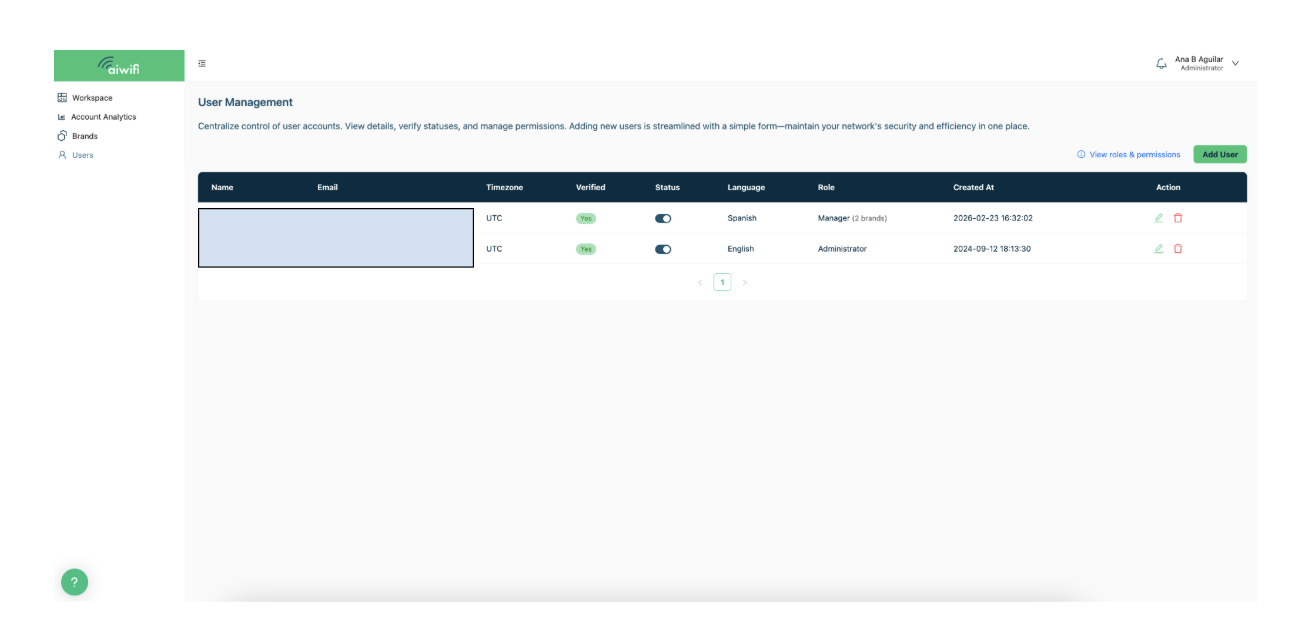
The Administrator Role can add users in to the Aiwifi platform:
To add an user into the platform just select the button “Add user”, once you clicked on it, it will deploy the next image shown below:
Fill in all the fields and click on “ Save”.
Manager Role:
Assigned Focus: Manages only the brands delegated by the Owner or Administrator, allowing for precise management.
Campaign Action: Has the power to create and delete campaigns, banners, and access points within their assigned brands.
Technical Configuration: Manages the redirection and integration sections.
Operational Focus: The Manager's focus is 100% operational, ensuring that the campaigns and banners of the assigned brands perform optimally. Does not have access to modify brand logo, privacy policies, users, billing, or subscription management.
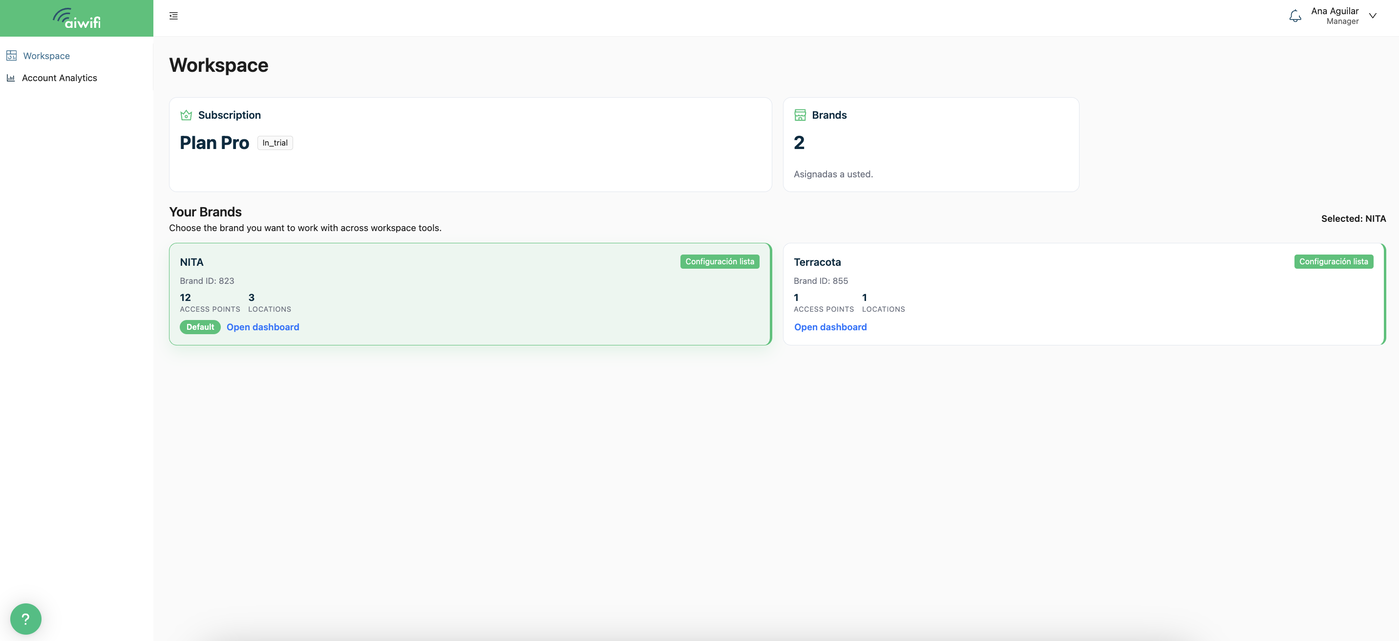
If you are the Manager, once you login on Aiwifi Platform you will see on your screen a Dashboard similar to this one shown below: