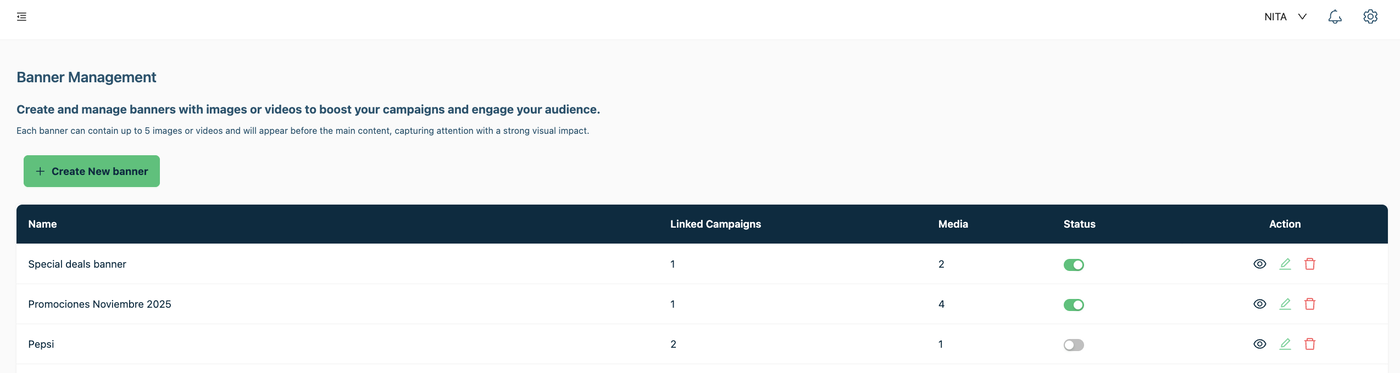

Add a banner to campaigns
You can add promotional images of your product in to a banner and add it to campaigns, and when the promotion have expired you can disable the banner so it will stop appearing on the campaign you added previously. This is a perfect way to show your promotions to tour clients.
Create and manage banners with images or videos to boost your campaigns and capture your audience's attention.
Each banner can contain up to 5 images or videos and will be displayed before the main content, generating a strong visual impact.
Steps to add a banner with images in to an specific campaign:
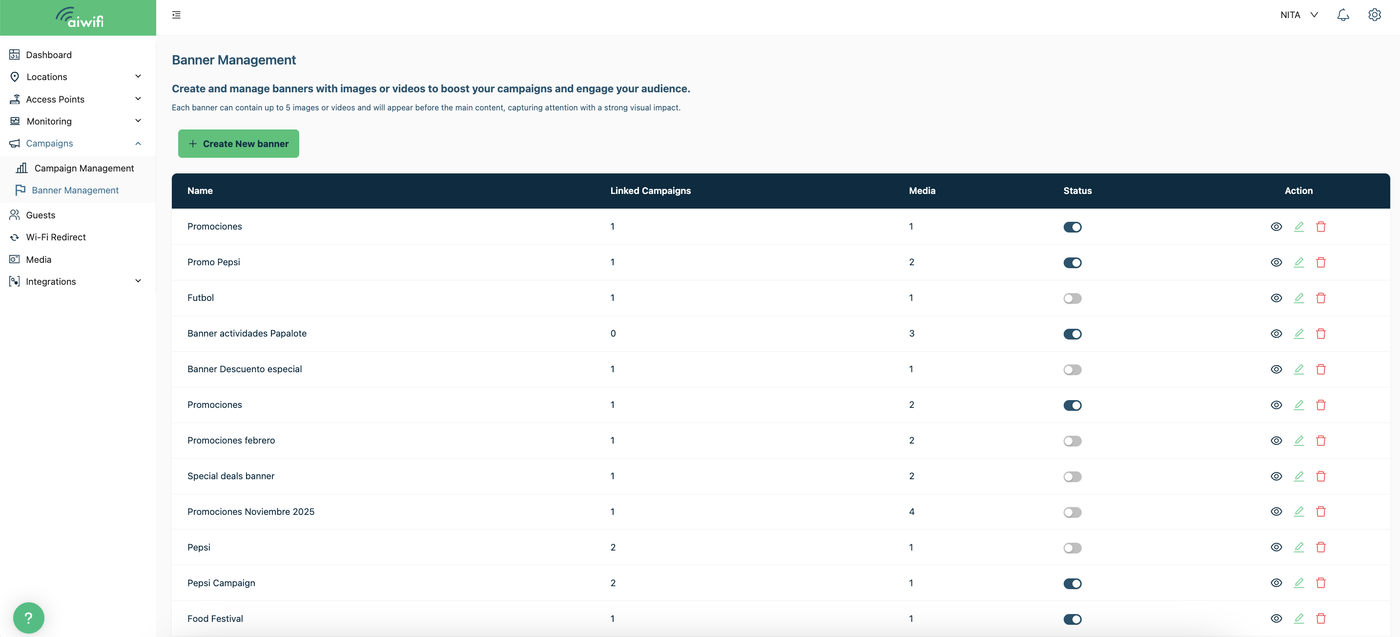
1) Banner Management
On your dashboard go to the left ride of your screen and select “Campaigns” then select "Banner Management” and then click on “Create New Banner”.
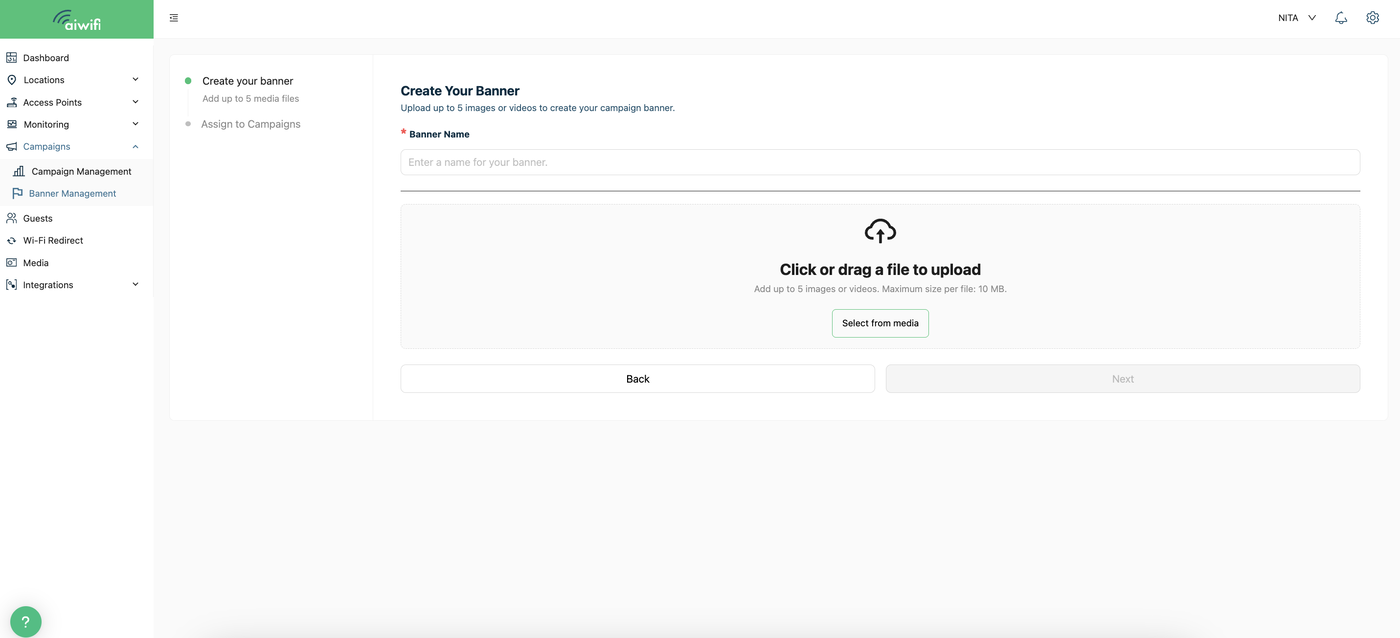
2) Create your Banner
Banner Details
In this section you have to assign an specific name for your banner of images and gifs. It can be for example: Hot sale or Grand opening or Christmas sale.
Click on "Select from media" to upload the images (maximum 5) you want to add to your banner. Or click on "drag your file from your browser" to upload the images or gifs you want to add to your banner.
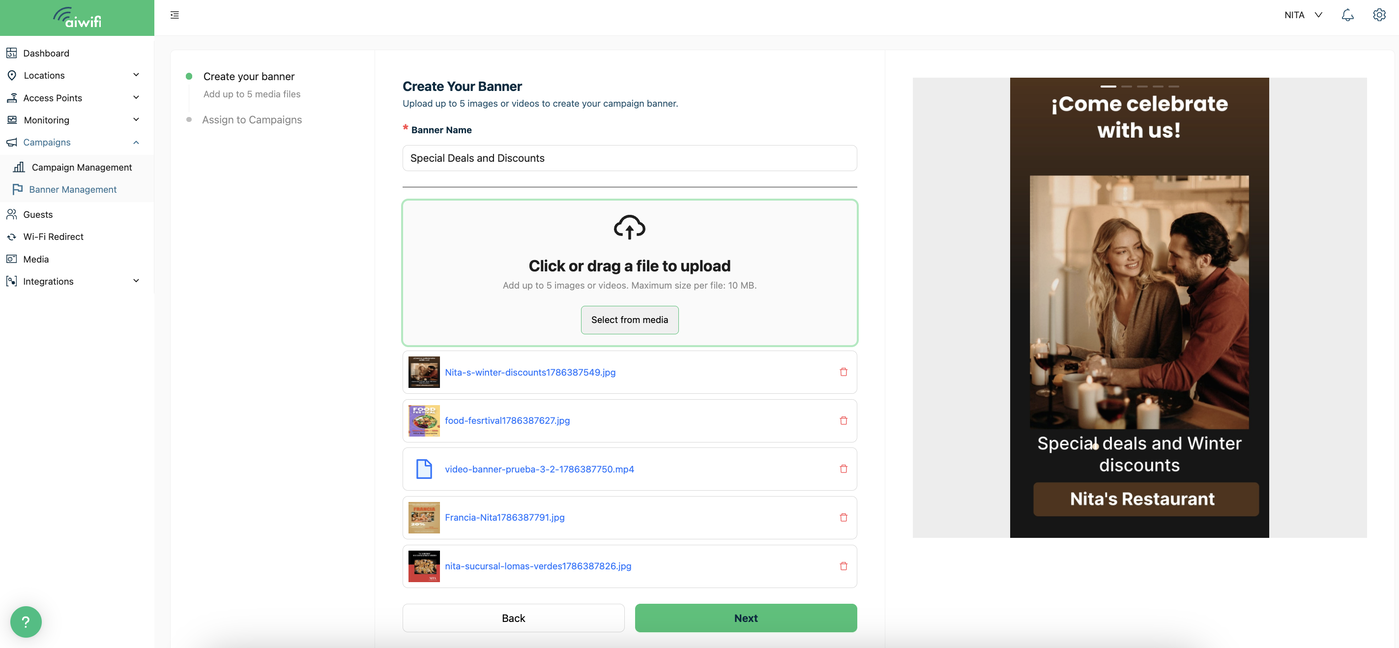
3) Select the image or gif you want to add.- Repeat the operation each time you want to add another image or video. (maximum 5 images, videos or gifs per banner). Is importan to add the images in the same banner because if you do it separately only the last image you added will be shown on the screen. Once you have done adding the images to your banner then click on "Next".
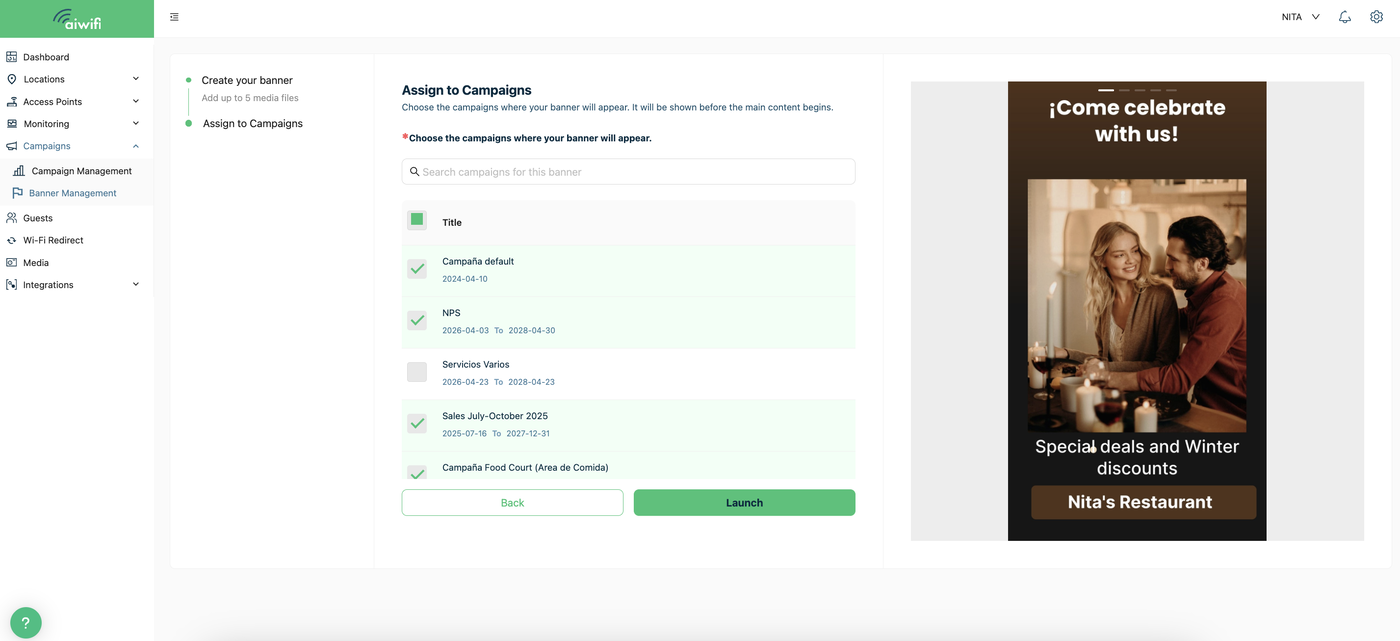
4) Select the campaign or campaigns desired.- Select the campaign or campaigns for adding your banner and clic on "Launch".
5) Banner Activated.- On your Banner Management Dashboard you will see your banner activated and on your screen it will deploy the message: “Success. Banner add-on created successfully”.
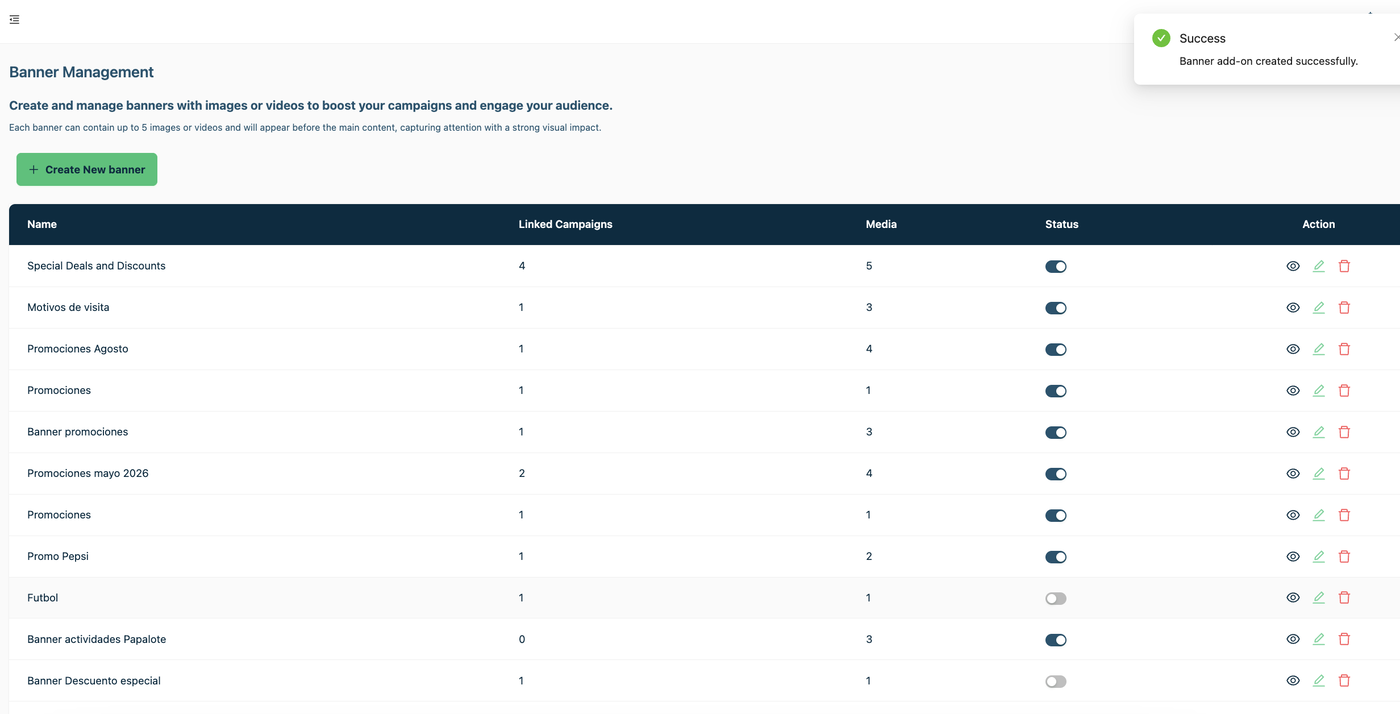
To disable the banner.- If you desire to disable the banner when the date of promotion have expired go to the status button to disabled it successfully. The banner will be disable on the campaigns you added before.