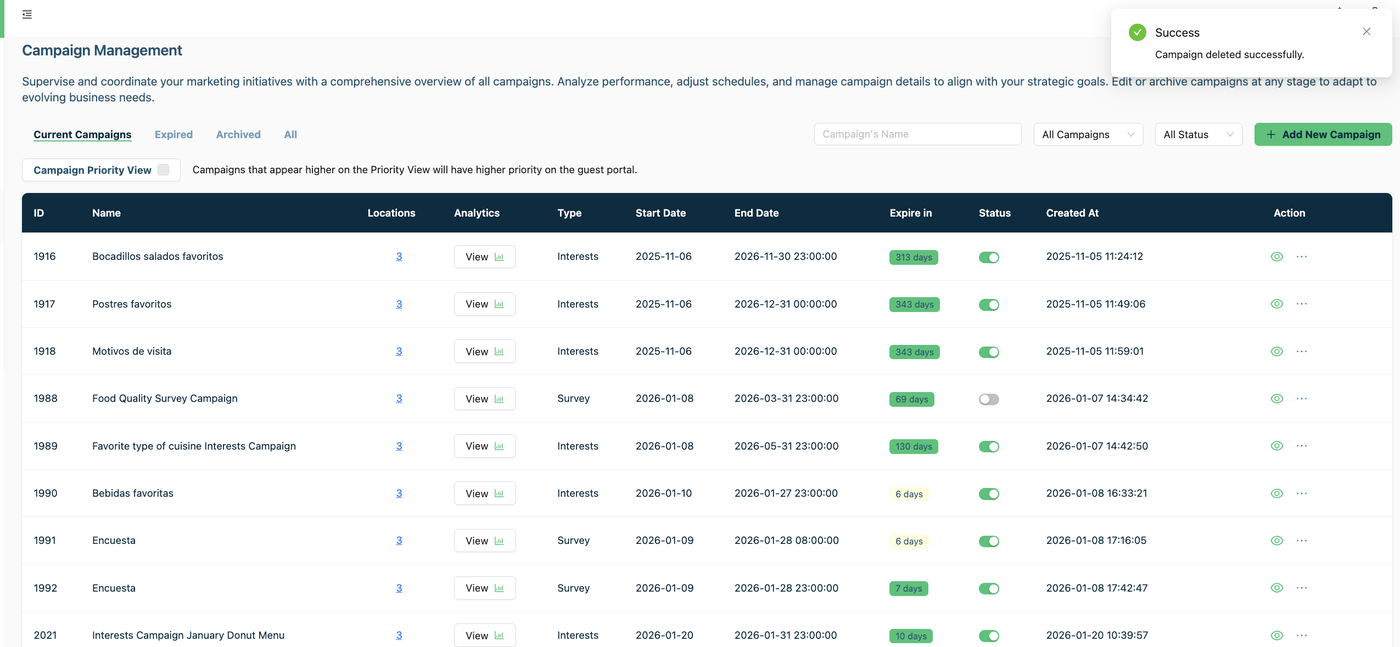

Delete a Campaign
Remember that the only one campaign that cannot be deleted is The Default Campaign, it is permanent.
But the Rating Campaign, The Display Campaign, The Survey Campaign, The Interest Campaign and The Customer Experience Indicator (NPS) can be deleted, and when you deleted them their analytics are also deleted.
Steps to delete a campaign
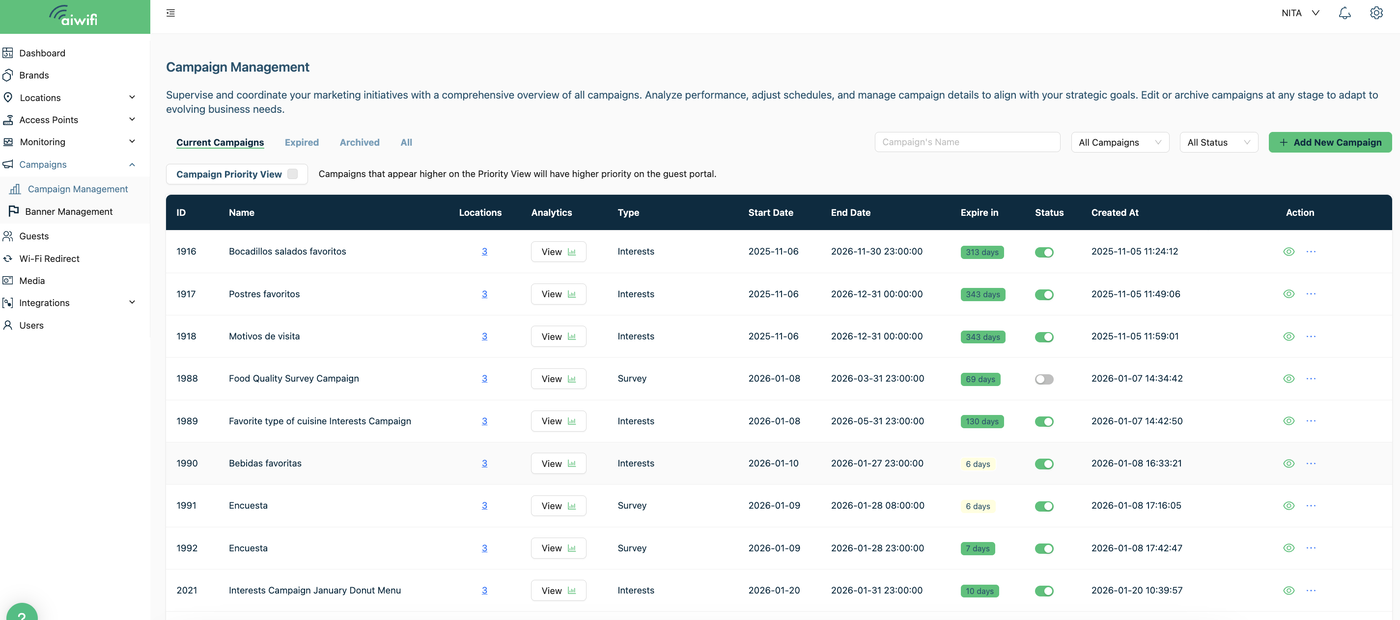
1) Campaign Management
Go to the Campaign Management Section and select the campaign you want to delete.
2) Campaign Management
1. Press the button bellow "Status" to disable the Campaign you want to delete.


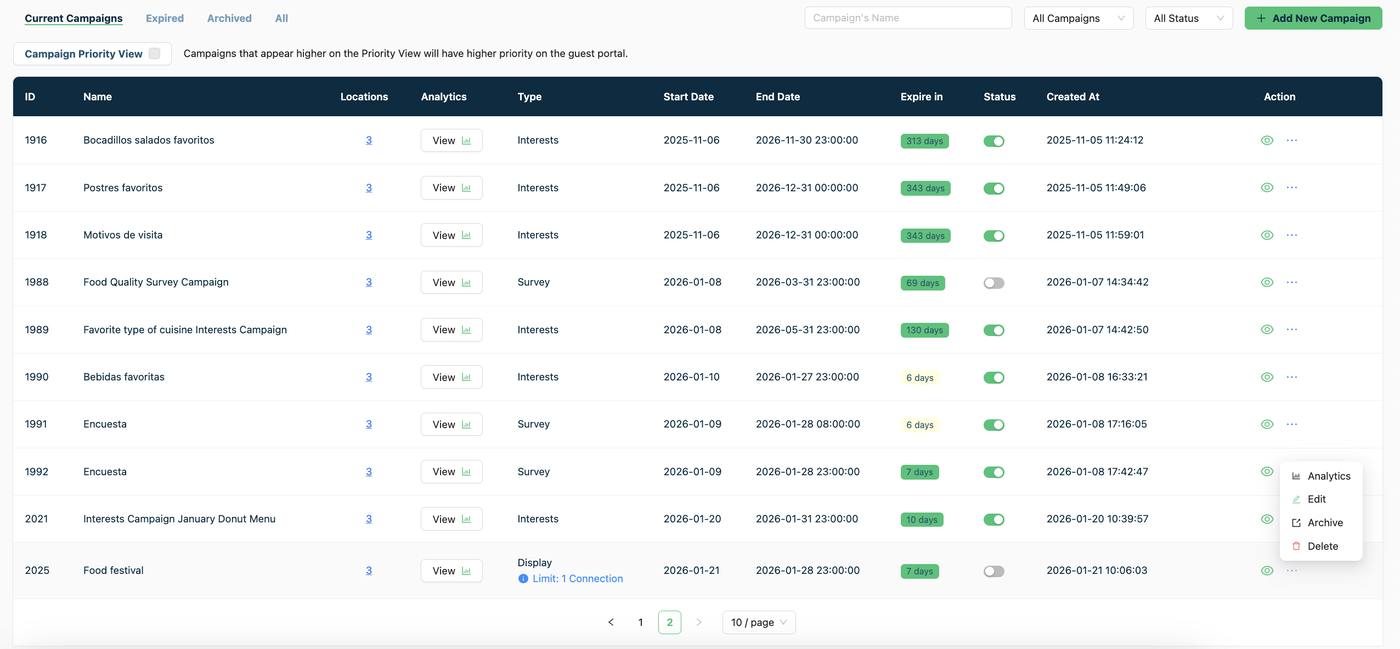
3. In the field “Action” press the three dots “ … “ then click on “Delete”
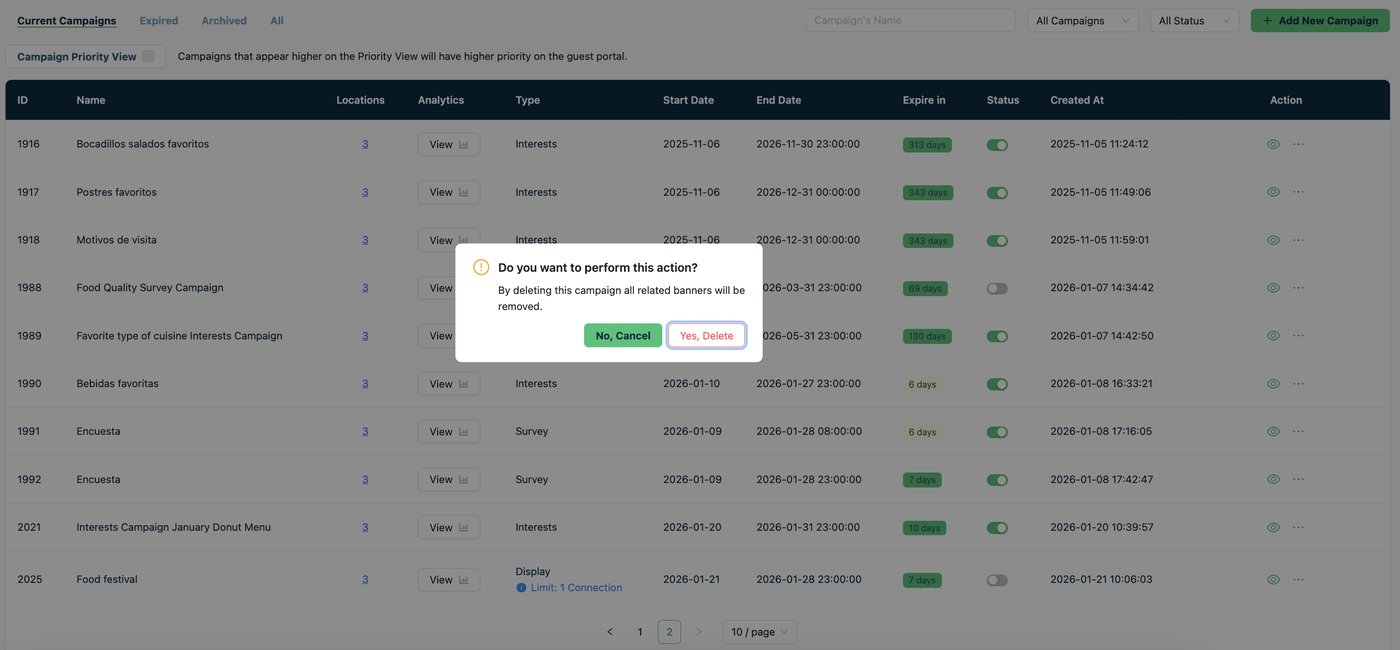
2. It will appear on your screen a dialogue box. Click on "Yes, Delete".
4.- On your dashboard you will see a dialog box “Your Campaign was deleted successfully”.